Skip to content

Laptop stands and cooling pads, ranked by budget

A passive stand raises the screen and improves airflow through its angle alone; an active cooling pad adds powered fans for genuinely hot-running laptops. This guide runs by budget, from a folding stand at about $9 to a four-fan cooling pad at about $30.

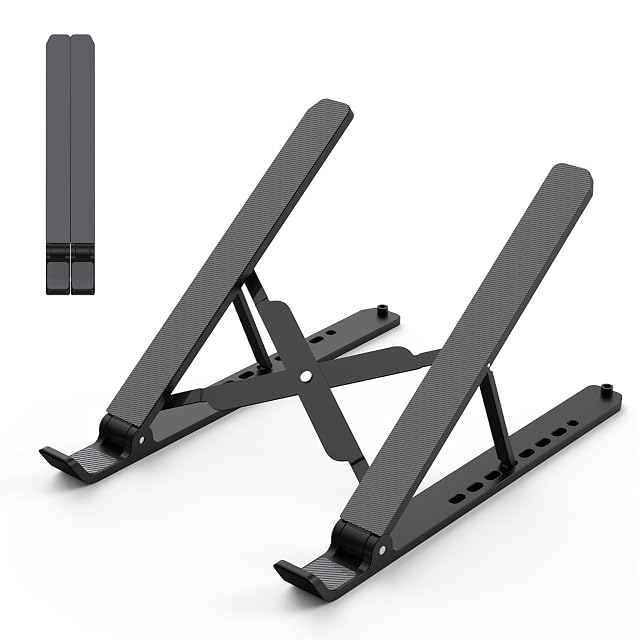
Tonmom is the most portable choice: seven height levels folding to 10.5 × 1.96 × 0.92 in (26.7 × 5 × 2.3 cm) and 0.57 lb, ideal for anyone moving between desks.

Babacom steps up to an aluminum build with the only stated capacity here (4 kg, 8.8 lb) and non-slip straps, for a sturdier everyday stand.

LIANGSTAR adds real active cooling — six fans in two switchable groups plus seven height levels, the only fan pad here whose height adjusts.

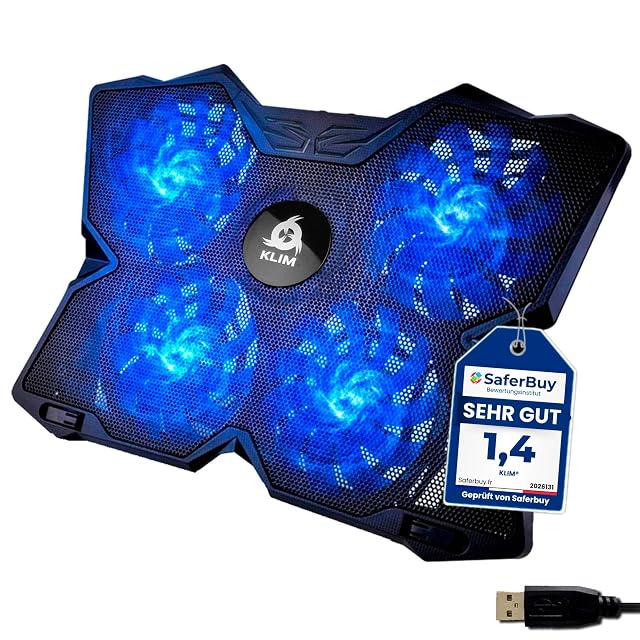
KLIM is the pick for hot-running laptops when a published figure matters: four fans stated up to 1200 RPM — the only fan speed in this guide; the LIANGSTAR has more fans, six, without an RPM — covering laptops from 11 up to 19 inches.

Which one fits your setup?

You use a laptop as your main computer
A stand plus a separate keyboard and mouse is the change that matters, because a laptop cannot be at the right height for both screen and hands.
You work on the move
A folding stand that fits in the bag is the only kind you will actually carry.
Your laptop runs hot
Start with the vents: a hard surface or an open stand that clears the underside, then a fan pad if it still runs hot under load.
You want the laptop cooler under sustained load
A fan pad adds airflow underneath — six fans on the LIANGSTAR, four at 1200 RPM on the KLIM — at the cost of some noise.

Picking by how you work

Desk use with peripherals

The main case. Screen at eye level, hands on a separate keyboard, which is what a laptop alone cannot provide.

Travel

Where a folding or roll-up stand earns its place because it weighs almost nothing.

Heat management

Where clearing the vents matters more than any fan, and where a hard flat surface beats a cushion or a bed.

Video calls

Where raising the laptop puts the camera at eye level rather than under your chin.

The points that matter after a month

Height it actually reaches
The point is getting the screen towards eye level. A stand that raises the laptop slightly is a wrist aid rather than a posture change.
Stability under typing
If you will type on the laptop itself, the stand must not flex. If you use a separate keyboard, this matters much less.
Ventilation
An open stand that clears the underside lets air reach the vents without any noise; a fan pad pushes air in, with some noise.
Portability
A stand that lives at home can be solid and heavy. One that travels must fold flat and weigh very little.
Whether a cooling pad is needed at all
They add airflow under the laptop, which matters most when the vents are blocked or the laptop runs hot under load. On a hard surface with clear vents the gain is smaller, and the fans add some noise.

Which figure for which situation

Your useWhat to chooseWhat to expect
Laptop as main computerTall stand plus separate keyboardA real posture change
TravelFolding standModest height
Running hotOpen stand, clear ventsCooler, silently
Sustained heavy loadA cooling padMore airflow, some noise

The usual missteps

Raising the laptop and typing on it
The screen and the keyboard cannot both be right on a laptop. Raising the screen without a separate keyboard moves the problem to your shoulders.
Expecting large gains from a cooling pad
Clearing the vents and using a hard surface come first. A powered pad adds airflow and some noise; how much it helps depends on the laptop.
Using a laptop on a soft surface
A bed or a cushion blocks the vents underneath, a common reason for a laptop running hot. It is the easiest thing to fix.
Buying a heavy stand to carry
A stand only helps if it is with you. A folding one that actually lives in the bag beats a better one at home.

By the person using it

The home worker
A tall solid stand, a separate keyboard and mouse, and a monitor if the budget allows.
The traveler
A folding stand that weighs almost nothing, accepting a modest height.
The heavy user
An open stand for airflow first, and only then the question of whether a powered pad adds anything.

Wear, warranty and working life

Stands are simple, and what fails is the folding mechanism and the pads that grip the laptop. On cooling pads it is the fans, which fill with dust and become the noise people complain about.

  • Clean dust from cooling pad fans; that is what makes them loud.
  • Check the grip pads; worn pads let the laptop slide off a raised stand.
  • Check folding joints on a travel stand, which are the part that fails.
  • Clear the laptop's own vents periodically; no stand compensates for blocked ones.

Safety

A raised laptop and a device that gets hot.

  • Check the stand is stable before letting go of the laptop.
  • Do not block the vents with cloth, cushions or a bed.
  • Do not rest a hot laptop directly on skin for long periods.
  • Vary your position and take breaks; a stand improves posture but does not replace movement.

The picks, and the grounds for them

  1. Tonmom foldable 7-level ABS laptop stand

    7 heights, 2.78–6.5 in · folds to 10.5 × 1.96 × 0.92 in, 0.57 lb · ABS · 10–15.6"

    A foldable ABS-and-silicone laptop stand with seven heights from 2.78 to 6.5 in, folding to 10.5 × 1.96 × 0.92 in and 0.57 lb — the only folded size and weight published in this hub.

    Best for: Someone who moves between desks and wants a stand that fits in a laptop bag.

    7.2/10

    ≈ $9

What buyers ask us first

Do I need active cooling, or is a stand enough?

For everyday typing and browsing, a stand's passive airflow is usually enough. If a laptop audibly struggles or throttles under video editing, gaming or compiling, active cooling with fans makes a real difference.

Do I need a separate keyboard with a laptop stand?

Yes, if the point is posture. Raising the screen without one puts your hands too high, which moves the problem to your shoulders rather than solving it.

Do cooling pads work?

They add airflow under the laptop, which matters most when the vents are blocked or the laptop runs hot under load. On a hard surface with clear vents the gain is smaller, and the fans add some noise.

How high should the stand raise the screen?

Towards eye level, using the same guidance as a monitor. A small lift is a wrist aid rather than a posture change.

Why does my laptop run hot on my lap?

Soft surfaces block the vents underneath. Moving it to a hard surface or a stand that clears the underside is the first thing to try.

What stand should I travel with?

A folding or roll-up one that weighs almost nothing. A better stand left at home helps nobody.

Is a stand worth it for occasional use?

Even for an hour a day it changes the neck angle noticeably, and a cheap folding stand does most of that.

Each pick, and the setup it suits

Tonmom Foldable Stand · $9

Intended for: Someone who moves between desks and wants a stand that fits in a laptop bag.

Its best feature: Seven heights, from 2.78 to 6.5 in — the only published height range in this hub

Its worst feature: ABS plastic, where the Babacom is aluminum; no load rating

Read the full review →

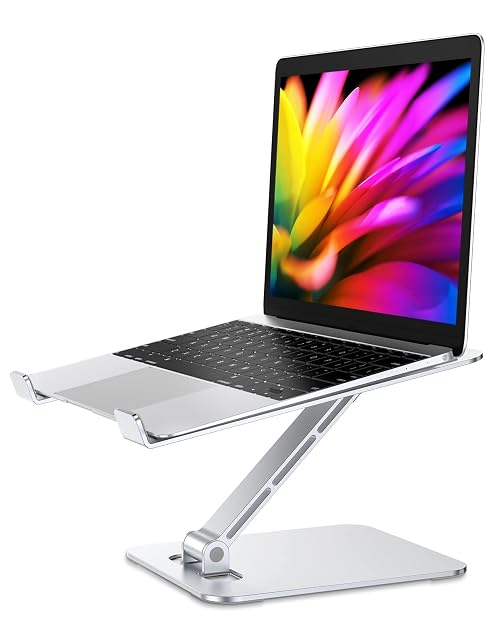
Babacom Aluminum Stand

Intended for: A heavier laptop on a stand that folds, where a stated load rating matters.

Its best feature: The only load rating in this hub: 4 kg (8.8 lb) without the panel shaking

Its worst feature: Height and tilt adjust, but the listing gives no levels or range — and its first line says only that the stand "could be" adjustable

Read the full review →

LIANGSTAR 6-Fan Cooler

Intended for: A laptop that runs hot and needs to sit higher, with the fans tuned down for quiet work.

Its best feature: The most fans in this hub: six, in two groups of three with separate speed switches

Its worst feature: No fan speed published, so its airflow cannot be compared with the KLIM's 1200 RPM

Read the full review →

KLIM Wind Cooling Pad · $30

Intended for: A large laptop that runs hot under gaming or video editing, used at one fixed angle.

Its best feature: The only fan speed published in this hub: four fans at up to 1200 RPM

Its worst feature: “The most powerful on the market”, “under a minute” and “more than 500,000 units sold” are KLIM's own claims, with no test or source named

Read the full review →

What you will want with it

Accessories and spares that go with these picks, at the price we noted. Check each one fits what you own before ordering — the listing states the sizes and part numbers.

  • ICY BOX IB-DK2251AC · USB hubs & docking — 2 × HDMI 2K 60 Hz · 6 × USB 3.0 · Gigabit Ethernet · DisplayLink
  • Leikurvo Desk Grommet Hub · USB hubs & docking — 60mm (2.36 in) grommet fit · 2× USB 3.0 + USB-C · SD/TF readers
  • GRIFEMA GB1051 · Monitor riser stands — 370 × 235 mm (14.6 × 9.25 in) · 100/120/140 mm · 20 kg (44 lb) · vented · $53
  • Simple Houseware DO-09K-R · Monitor riser stands — 33.3–45 in wide · 5 in high · drawer with 9 compartments · $40
  • Eglooh Mercurio · Desk pads — Made in Italy · regenerated leather · non-slip scratch-resistant base
  • Gokemuak XXL Shortcut Pad · Desk pads — 90×40cm (35.4 × 15.7 in) · 3mm thick · printed shortcuts

The quick version

Pairings that decide it

Head to head, already written, within this guide or this aisle.

How this list was assembled

The products here come from the catalog of this site. Specifications are those the maker and the Amazon listing publish; prices are the Keepa reading for the date below, and both shift. Ranking follows declared specifications, stated strengths set against stated limits, and price. Nothing here has been tested hands-on by us, and no page pretends it has.

Last checked on

Prices quoted in these summaries are dated readings. The live price is shown next to each product.

The tool we use ourselves

Chosen your tool? Now buy it at the right price.

Office chairs and standing desks swing by thirty dollars or more across the year, and the biggest "discounts" often land at prices the same model sold for six weeks earlier. UniverTrack tracks the real price history across retailers, spots fake reductions, and alerts you when it is genuinely the moment to buy.

Real price historyBuy-now alertsAI buying assistant
Try free for 14 days →
No commitment · Cancel in one click · 5 languages