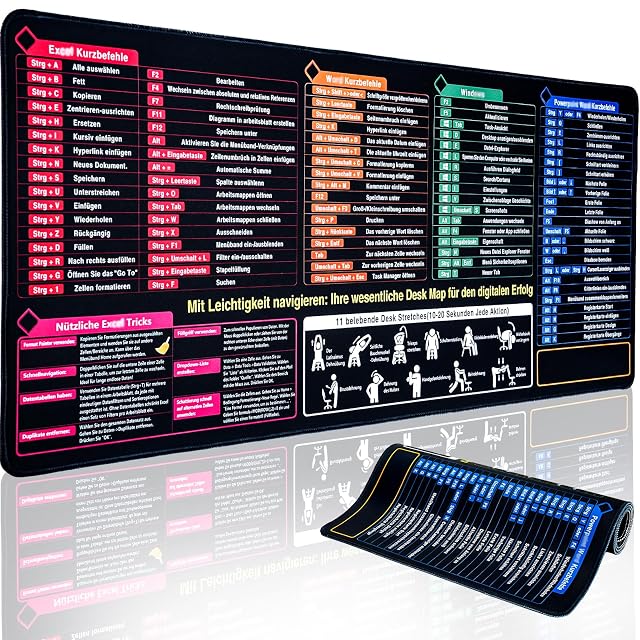
Gokemuak XXL fabric desk mat with printed keyboard shortcuts
A 90 by 40 cm (35.4 × 15.7 in) fabric desk mat printed with common keyboard shortcuts, a smooth glare-free surface for mouse tracking, and a non-slip rubber base.
Gokemuak XXL fabric desk mat with printed keyboard shortcuts
Printed shortcut reference is genuinely useful for beginners or infrequent shortcut users
Large 90×40cm (35.4 × 15.7 in) size covers keyboard, mouse and laptop together
Shortcut printing is in the German keyboard layout — check suitability for other layouts
Best for: Someone learning keyboard shortcuts, or who simply wants a large fabric mat with a reference printed on it.
Finely woven, glare-free (the listing title says PU leather)
Print
Keyboard shortcuts, German layout
Base
Natural rubber, non-slip
Edges
Double-stitched
Care
Wipe clean; machine washable at 30–40 °C
This desk mat adds a genuinely distinct feature to the category: printed keyboard shortcuts laid out clearly across the surface, useful for anyone still learning common shortcuts or who simply wants a quick reference without switching to a browser tab or cheat sheet.
Beyond the printed reference, the mat covers the fundamentals well — a 90 by 40 cm (35.4 × 15.7 in) fabric surface large enough for a keyboard, mouse and laptop together, finely woven for precise, quiet tracking with both optical and laser mice, and finished with double-stitched edges for durability against fraying at the corners over time.
A natural rubber non-slip base keeps the mat in place even during fast mouse movements, and Gokemuak states the high-resolution inkjet-printed lettering resists fading and stays legible. The shortcuts are printed for a German keyboard layout, worth checking against your own setup before assuming direct relevance. The mat is 3 mm thick, wipes clean and can be machine washed at 30 to 40 °C. One inconsistency: the listing title calls the surface PU leather, while the bullets describe a woven one. It is listed on Amazon.com, but no US price was read; it reads about €14 on amazon.de.
What holds up, and what does not
Best for: Someone learning keyboard shortcuts, or who simply wants a large fabric mat with a reference printed on it.
Strengths
Printed shortcut reference is genuinely useful for beginners or infrequent shortcut users
Large 90×40cm (35.4 × 15.7 in) size covers keyboard, mouse and laptop together
Smooth, finely woven surface tracks precisely for both optical and laser mice
Double-stitched edges resist fraying
Wipes clean and is machine washable at 30 to 40 °C, says the listing
Non-slip natural rubber base holds position even during fast mouse movements
Compromises
Shortcut printing is in the German keyboard layout — check suitability for other layouts
The title calls it PU leather while the bullets describe a woven fabric surface
No US price read; about €14 on amazon.de
Prices quoted in this text were read on 2026-10-13. The live price is at the top of the page.
What buyers ask us first
Are the printed shortcuts specific to one operating system?
Gokemuak markets this as a German-layout keyboard shortcut reference; check the current listing for which specific software or OS shortcuts are printed, since this can vary between mat editions.
Can this be washed?
Yes — the listing says marks wipe off and the mat can go in the washing machine at 30 to 40 °C without warping or the print fading.
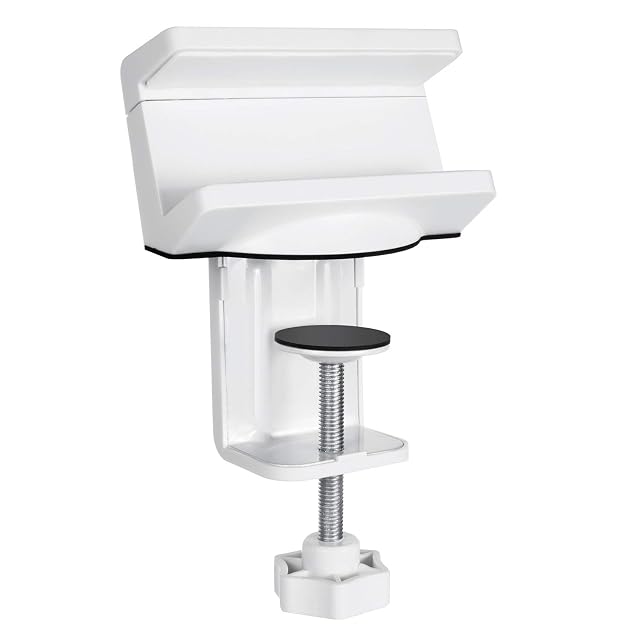
A desk-clamp bracket that mounts an existing power strip (40 to 60 mm (1.57 to 2.36 in) wide) underneath the desk, with an integrated rear cable channel.
Amazon reference
B07NYYJVFL (identical on 6 markets)
EAN
5902211111658
Manufacturer reference
MC-808
Fits strips
40–60 mm (1.57–2.36 in) wide
Mounting
Desk clamp, no drilling
Clamp range
Not published
Cable management
Channel on the back
Power strip included
No
Compatible with most power strips between 40 and 60 mm (1.57 and 2.36 in) wide
Quick desk-clamp mounting, no drilling
This is a mounting bracket for an existing power strip — it does not include the power strip itself
Best for: Mounting an existing power strip out of sight, without buying a full cable tray.
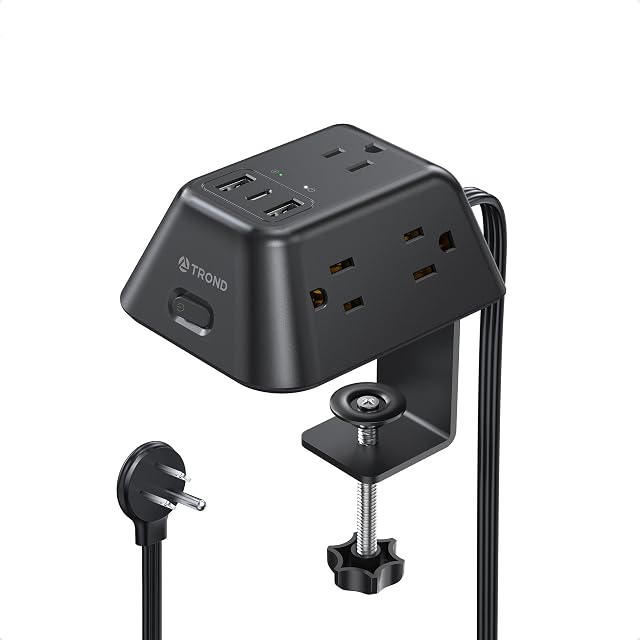
A clamp-mounted strip with its five outlets spread across three faces so bulky adapters do not crowd each other, rated at 1440 joules with a 15 W USB-C port.
Amazon reference
B0D5Q79T2X
EAN
0728120946632
Manufacturer reference
TD-PS-US16C
Outlets
5 AC on three faces, 1 USB-C, 2 USB-A
USB output
USB-C 5 V / 3 A (15 W); USB-A 5 V / 2.4 A (12 W)
Rating
1250 W, 125 V, 10 A
Surge protection
1440 J
Clamp range
Up to 1.97 in (50 mm); minimum not published
Cord
6 ft flat cord, 45° flat plug
Five outlets arranged on three faces, which is what lets bulky adapters sit without dislodging each other
Publishes a surge rating — 1440 joules — which this hub compares and one strip here does not state at all
The USB-C port is 5 V at 3 A — 15 W, which charges a phone and will not meaningfully charge a laptop
Best for: A desk with several wall-wart adapters that will not sit side by side on a flat strip.
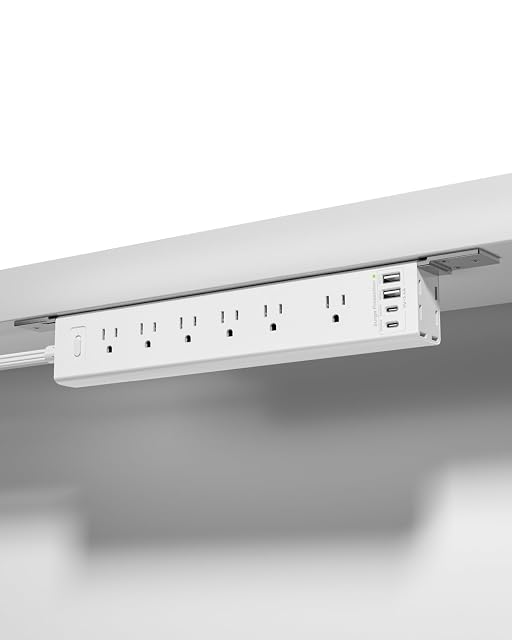
A ten-port clip-mount strip with the highest published load ceiling in this hub, 1625 W at 13 A, whose only published protection is an overload trip rather than a surge rating.
Amazon reference
B0FM778BHZ
EAN
0782570878578
Outlets
6 AC, 2 USB-A, 2 USB-C
USB output
Not published
Rating
1625 W, 13 A, overload trip
Surge protection
Claimed; no joule rating published
Size
12.8 × 2.2 × 1.3 in (32.5 × 5.6 × 3.3 cm)
Mounting
Clip, wall, under-desk or table leg; hardware included
Cord
6 ft, 45° flat plug
Color
White
Ten ports — six AC outlets and four USB, two of them USB-C
Highest published load ceiling in this hub at 1625 W and 13 A (the Anker gives no wattage)
Advertises "ROBUST SURGE PROTECTION" and publishes no joule rating — the figure this hub's first comparison asks for
Best for: A desk or a wall that needs ten ports and a mount that does not depend on having an edge.