Skip to content

The best ergonomic keyboards for 2026

A curved or fully split layout changes the angle the wrists sit at while typing, which a padded wrist rest under a flat, straight keyboard does not — the two solve different problems, and a split design is the one that actually changes hand position rather than just cushioning it. We compare layout type, whether the halves offer an adjustable tenting angle (tilting the two sides upward toward each other), key travel and switch feel, and wired versus wireless connection for a genuinely clutter-free desk.

The models we recommend

Who each type suits

Heavy typing
The case where geometry counts most. The adjustment time on a split keyboard is measured in weeks, not days.
Strained shoulder
A keyboard without a number pad brings the mouse closer to the body's axis. Often the most effective change at the workstation.
Occasional use
The adjustment time on a strongly ergonomic keyboard is not justified for a few hours a week.

The trade-offs to weigh

Ergonomics against adjustment time
The further the geometry departs from a standard keyboard, the more typing speed drops at first. It takes several weeks to get back to your level.
Number pad against mouse distance
The number pad moves the mouse several centimetres away, which is paid for at the shoulder over a day. A separate pad settles the question.
Wireless against latency and batteries
Wireless clears the desk and means managing a charge; wired never runs out of energy.

Questions buyers ask

How long does it take to adapt?

Several weeks on a strongly ergonomic keyboard, with distinctly reduced typing speed at first. Giving up after three days is the most common reaction.

Do I want a split keyboard?

It lets you align each hand with its shoulder, which no single-block keyboard does. It is also the longest to get used to.

Is the number pad a problem?

It moves the mouse several centimetres from the body's axis. Over a day, one of the most underestimated factors.

Is a wrist rest useful?

It serves as a support between keystrokes, not during them. A wrist resting and pressed down while typing is counterproductive.

Should the keyboard be tilted?

The rear feet raise the keyboard and break the wrist's alignment. A negative or flat tilt is generally preferred.

Mechanical or membrane?

A question of typing feel and noise, not of ergonomics. The geometry counts for more than the key technology.

Does a keyboard fix a pain?

Persistent pain in the wrist or the hand is a matter for a health professional. Equipment is part of your working conditions; it does not treat anything.

What to remember

Allow several weeks of adaptation on a geometry far from the standard: giving up after three days is the most common reaction. The number pad moves the mouse off the body's axis, and the keyboard's rear feet break the wrist's alignment.

This category at a glance

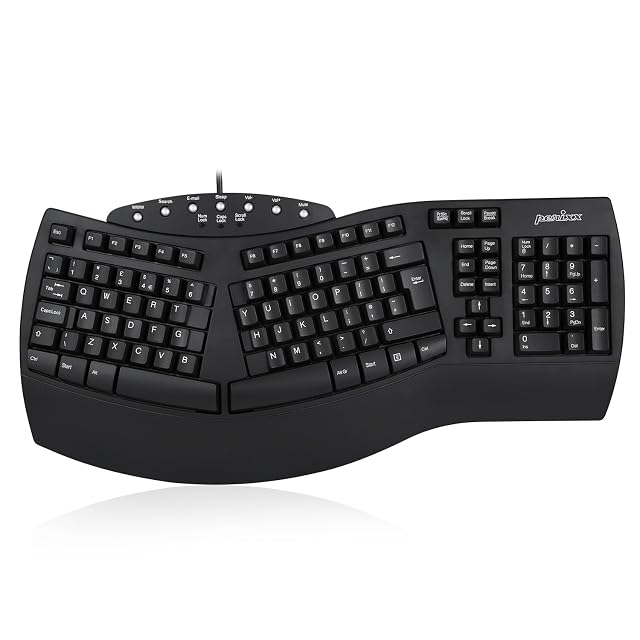
  • Highest Amazon reference in this category: Perixx PERIBOARD-512 (B0763LFQ6X (identical on 6 markets)).

Every model compared

Only the specifications at least four models out of five state. A column that is more empty than full compares nothing.

ModelPriceAmazon reference

Guides covering this category

  • Best Ergonomic Keyboards 2026 — Split & Certified | DeskVerdict

Sources and method

Specifications: manufacturer sheets and Amazon product pages. Prices and availability: Keepa. No product on this site has been physically tested.

Most recent revision in this category: August 29, 2026.

How we assess products