Skip to content

The best laptop stands and cooling pads for 2026

Laptop on a stand
Photo : Workperch, Unsplash

Top-rated laptop stands on Amazon.com

The 3 highest scores among the 3 laptop stands we cover that have a checked Amazon.com listing — 4 are reviewed in all. Scores are out of ten and only compare models inside this category.

#ModelOur scorePriceBuy
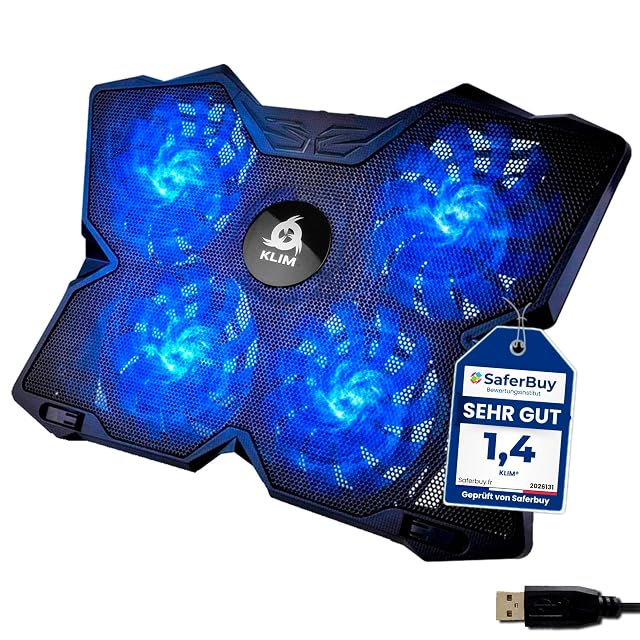
1KLIM Wind 4-fan laptop cooling pad, 1200 RPMBest for: A large laptop that runs hot under gaming or video editing, used at one fixed angle. 8.4/10≈ $30Check price on Amazon: KLIM Wind 4-fan laptop cooling pad, 1200 RPM
2LIANGSTAR 6-fan laptop cooling pad with 7 heightsBest for: A laptop that runs hot and needs to sit higher, with the fans tuned down for quiet work. 8.0/10See AmazonCheck price on Amazon: LIANGSTAR 6-fan laptop cooling pad with 7 heights
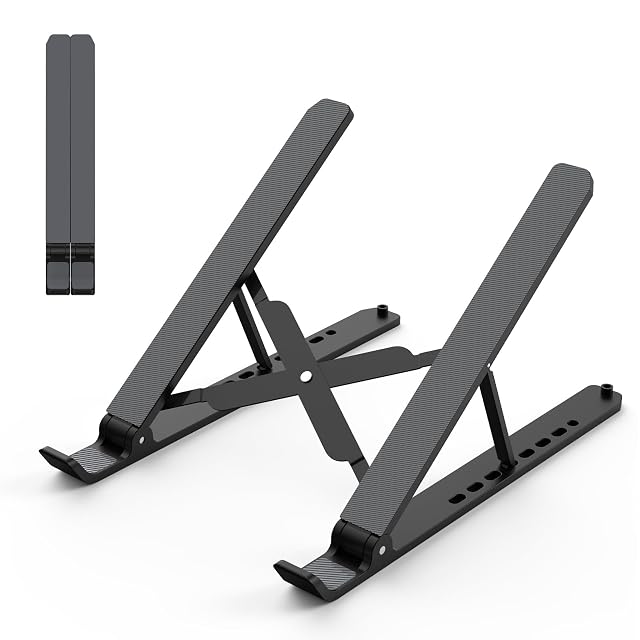
3Tonmom foldable 7-level ABS laptop standBest for: Someone who moves between desks and wants a stand that fits in a laptop bag. 7.2/10≈ $9Check price on Amazon: Tonmom foldable 7-level ABS laptop stand

Prices are indicative and were read on Amazon.com; the button shows the current one. If we earn a commission, it does not change the order.

A laptop used flat on a desk keeps the neck bent for hours; a stand raises the screen toward eye level, provided its height reaches yours. Two stands here: the Tonmom folds to 0.57 lb with seven heights from 2.78 to 6.5 in, the only published range; the Babacom is aluminum, the only one with a stated load, 4 kg (8.8 lb). Two cooling pads add fans: the LIANGSTAR six, with seven heights; the KLIM four at a published 1200 RPM, for laptops up to 19 in.

The models we recommend

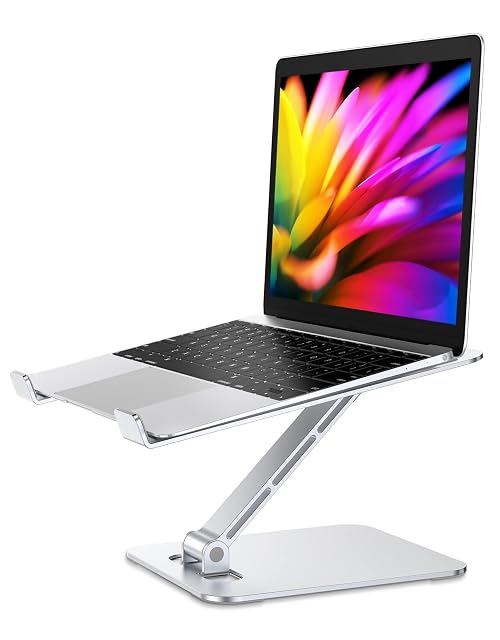
  1. Babacom foldable aluminum laptop stand, holds 4 kg (8.8 lb)

    Aluminum alloy · holds 4 kg (8.8 lb) · fits 10–16" · foldable

    A foldable aluminum-alloy laptop stand that holds 4 kg (8.8 lb) without the panel shaking — the only load rating in this category — with non-slip straps and an open two-arm design for airflow.

    Best for: A heavier laptop on a stand that folds, where a stated load rating matters.
    7.2/10

  2. Tonmom foldable 7-level ABS laptop stand

    7 heights, 2.78–6.5 in · folds to 10.5 × 1.96 × 0.92 in, 0.57 lb · ABS · 10–15.6"

    A foldable ABS-and-silicone laptop stand with seven heights from 2.78 to 6.5 in, folding to 10.5 × 1.96 × 0.92 in and 0.57 lb — the only folded size and weight published in this category.

    Best for: Someone who moves between desks and wants a stand that fits in a laptop bag.

    7.2/10

    ≈ $9

  3. LIANGSTAR 6-fan laptop cooling pad with 7 heights

    6 fans in two groups · 7 heights · phone holder · 2 USB ports · 12–17.3"

    A cooling pad with six quiet fans in two independently switched groups of three, adjustable speed, seven height levels, a phone holder and two USB ports, for 12 to 17.3 in laptops.

    Best for: A laptop that runs hot and needs to sit higher, with the fans tuned down for quiet work.

    8.0/10

Finding your need in laptop stands

Cooling a laptop that runs hot

Powered fans move air across the underside under sustained load. Two pads here have fans; this one has more of them, in two switchable groups.

LIANGSTAR 6-Fan Cooler

Taking the laptop's size

A stand drawn for thirteen inches leaves a seventeen-inch machine overhanging. The published maximums here run from 15.6 to 19 inches.

KLIM Wind Cooling Pad

A stand that travels

Only one listing here gives a folded size and weight, small enough for a laptop bag.

Tonmom Foldable Stand

A heavy laptop, held steady

Only one stand here states how much it carries without shaking.

Babacom Aluminum Stand

The buyer behind each kind, in laptop stands

Fixed workstation
A laptop lying flat forces you to look down constantly. Raising it and adding a separate keyboard is the most effective correction there is.
On the move
A folding stand slips into a bag and unfolds anywhere. The stability is lower; the postural gain stays real.
Heat
An open stand lets air reach the underside; a fan pad pushes air in — six fans on the LIANGSTAR, four at 1200 RPM on the KLIM — with some noise. Neither pad publishes a temperature drop.

The downsides that come with laptop stands

Raising against the built-in keyboard
Raising the screen makes the laptop's own keyboard unusable in good posture. A separate keyboard and mouse become compulsory, not optional.
A stand that folds, or one that never moves
The folding one travels and flexes; a solid metal fixed stand does not move and stays on the desk.
Active cooling against noise
Fans add noise and a USB cable for more airflow underneath; how much they cool depends on where the laptop draws its air. None of the listings here publishes a temperature figure.

The questions people ask about laptop stands

Do I need a separate keyboard with a stand?

For posture, yes. Raising the screen puts the built-in keyboard too high to type on comfortably; a separate keyboard and mouse keep the hands low. See our ergonomic keyboards.

At what height should I set it?

The top of the screen level with the eyes or slightly below, as for a monitor.

Are cooled stands worthwhile?

On a laptop that runs hot under load, a fan pad adds airflow underneath; on one that stays cool, an open stand is enough. The KLIM publishes 1200 RPM, the LIANGSTAR six fans without an RPM.

Does the stand scratch the computer?

Pads protect the casing: the Tonmom has a large silicone pad, the Babacom non-slip straps and four silicone pads.

Is a folding laptop stand steady?

Less than a fixed one, and enough for use on the move. Stability is judged by typing, not by setting it down.

Can it be used with an external screen?

Yes, by aligning both screens at the same height. A height difference makes you turn your head constantly.

Does the laptop run cooler?

Raised on an open stand, the underside gets more air than lying flat on a desk; how much that changes the temperature depends on the laptop.

Does a cooling stand really cool?

It depends on where the laptop draws its air. On one that breathes from underneath, a fan pad helps; on one that draws from the sides or the keyboard, it changes less and still adds noise.

Worth remembering, on laptop stands

Raise the screen and add a separate keyboard: the two go together. For travel, the folding Tonmom; for a heavier laptop, the Babacom’s stated 4 kg; for heat, a fan pad — the LIANGSTAR adjusts in height, the KLIM publishes its fan speed.

Laptop stands in brief

  • Highest figure for largest laptop: KLIM Wind Cooling Pad (19 in).

Comparison table for laptop stands

Four references in five must publish the value for the column to exist. A column full of gaps would be comparing silences.

ModelPriceFansLargest laptopTypeUSB ports
Tonmom Foldable Stand$9None15.6 inPassive standNone
KLIM Wind Cooling Pad$30419 inActive cooling pad2 (one free)
Babacom Aluminum Stand—None16 inPassive standNone
LIANGSTAR 6-Fan Cooler—617.3 inActive cooling pad2 (one free)

The guides that discuss laptop stands

What we read, and how

Specifications: manufacturer sheets for home office gear and the matching Amazon product pages. Prices and availability: Keepa. Every figure in this table names its source.

Most recent revision in this category: October 13, 2026.

The way we judge laptop stands

Prices quoted in these summaries are dated readings. The live price is shown next to each product.