Skip to content

The best monitor riser stands with storage for 2026

A fixed riser raises a monitor to eye level without the reach and rotation range of a full gas-spring arm, at a lower price and with no clamp or grommet installation — the trade-off is a single fixed height rather than one that adjusts. We compare that fixed height against typical eye-level needs, stated weight capacity, and the storage shelf space many risers add underneath, useful for a keyboard, laptop, or files that would otherwise clutter the desk surface.

What we recommend

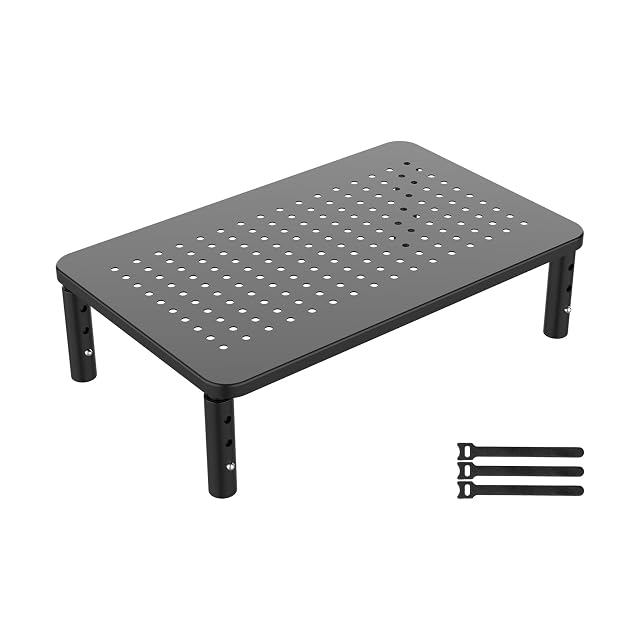
  1. GRIFEMA ventilated metal monitor riser stand

    GRIFEMA 3-height ventilated metal monitor stand

    A metal monitor riser offering 3 adjustable heights, a ventilated platform rated to 20kg, and usable storage space underneath.

    Amazon reference
    B0CB8733RV (identical on 6 markets)
    EAN
    8436560669555
    • Three height settings (100/120/140mm) via a button-release leg mechanism
    • Sturdy metal shelf rated to 20kg, fitting most flat-screen monitors
    • Three fixed heights rather than continuous adjustment

    Best for: A budget riser with a genuine choice of heights rather than a single fixed level.
    Check price on Amazon
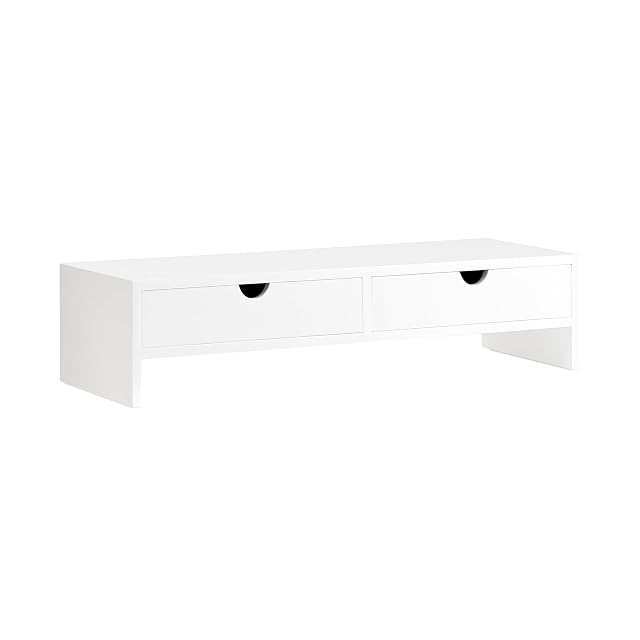
  2. SoBuy wood-finish monitor stand with two drawers

    SoBuy MDF monitor stand with 2 storage drawers

    An MDF monitor stand that raises the screen by roughly 11cm, rated to 10kg, with two built-in storage drawers and a choice of four colours.

    Amazon reference
    B07KCBJVM8 (identical on 6 markets)
    EAN
    4251388603567
    • Two built-in drawers for office supplies, cables or small gadgets — unique in this hub
    • MDF (E1-grade) construction with a furniture-like finish rather than bare metal
    • Lighter stated weight capacity (10kg) than the metal riser elsewhere in this hub

    Best for: Anyone who wants monitor elevation and drawer storage combined into one furniture-style piece.

    Check price on Amazon

Who each type suits

Screen with no height adjustment
Many entry-level screens have a fixed stand that sits too low. The riser corrects the most common fault at a workstation.
Small desk
The space under the riser takes the keyboard at rest and small items. That is surface reclaimed.
Variable adjustment
A fixed riser imposes a single height. If several people share the workstation, an adjustable arm becomes preferable.

The trade-offs to weigh

Fixed riser against articulated arm
The riser is stable, simple and single-height; the arm adjusts continuously and costs more, while loading the desktop.
Single height against body shape
The right height depends on the user's build and on the chair. A fixed-height riser suits one person, not a shared workstation.
Built-in storage against stability
Risers with drawers offer storage and rest on a more complex structure. A solid riser is steadier under a heavy screen.

Questions buyers ask

At what height should the screen sit?

The top of the panel level with the eyes or slightly below, at about an arm's length. The most useful adjustment at the workstation.

Is a riser as good as an arm?

For a single height, yes, and it is steadier and simpler. The arm becomes useful as soon as you need to adjust often or free the desktop entirely.

Can I stack books instead?

Technically yes, at the right height. A riser is simply steadier and tidier.

What load does a riser carry?

It is stated and often generous on solid models. Risers with drawers or in glass carry less.

Is the space underneath usable?

That is one of the format's points: the keyboard stows there at rest and small items find a place.

Does a riser suit a shared workstation?

Its height is fixed, so matched to one build only. An adjustable arm suits several users better.

Do I need one riser per screen?

Yes in a dual setup, and then the two heights must be aligned exactly. A mismatch makes you turn your head constantly.

What to remember

The riser sets the height once and for all, which is enough at a personal workstation: the arm becomes useful when you have to adjust often. Panel top level with the eyes, and in a dual setup align the two heights exactly.