Skip to content

The best wrist rests and mouse pads for 2026

A wrist rest is for the pauses between keystrokes, and its height against the keyboard’s front edge matters more than its fill. Four here, from the cheapest up: a full-width keyboard rest, a keyboard stand with its rest built in, a mouse pad with a gel rest, and a gel keyboard rest that sells for several times its German price in the US.

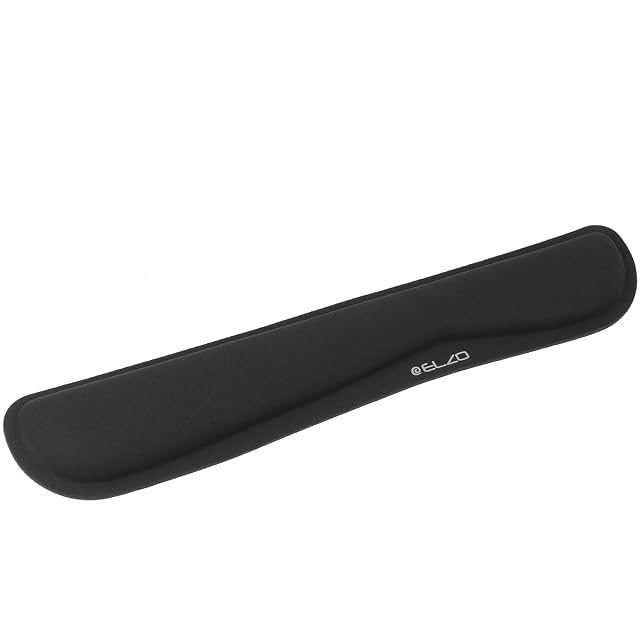
ELZO is the pick for a full-size keyboard: a 43 × 8 cm (16.9 × 3.1 in) slow-rebound memory foam rest wide enough for both hands, on a non-slip rubber base, at the lowest US price here, about $8.

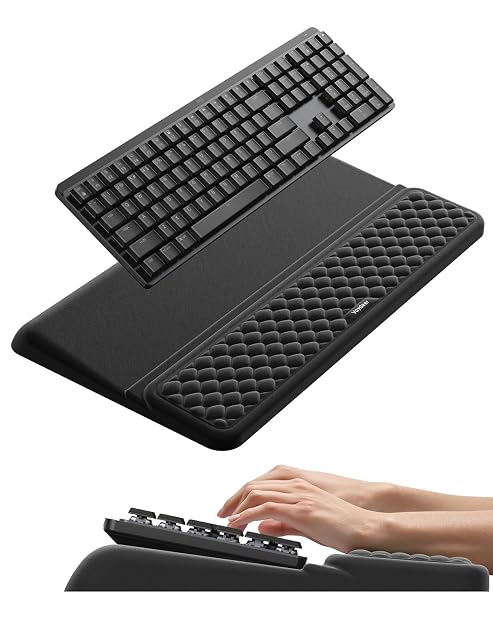
VAYDEER joins a keyboard stand and a memory foam rest in one piece — the only stand here, about $22. It raises the keyboard, so check the result against your elbow height; no size is published.

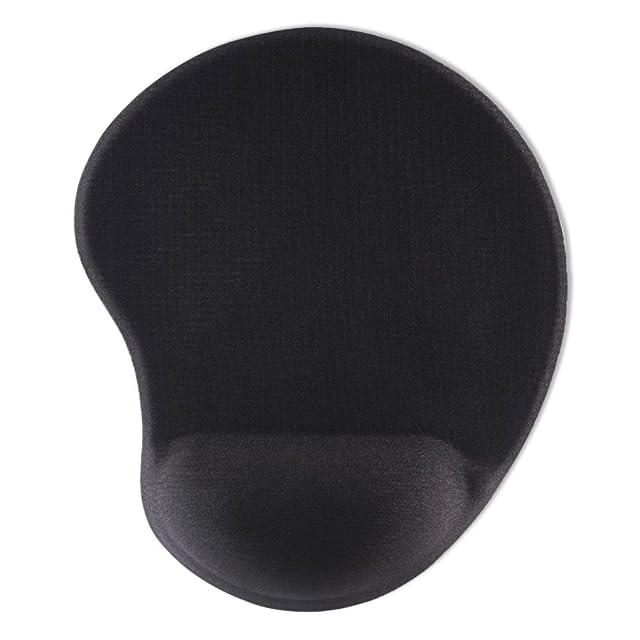
Hama is a 25.5 × 21.5 cm (10 × 8.5 in) mouse pad with a gel and memory foam rest, and the only product here that states its rest height: 2.1 cm (0.8 in). About $24.

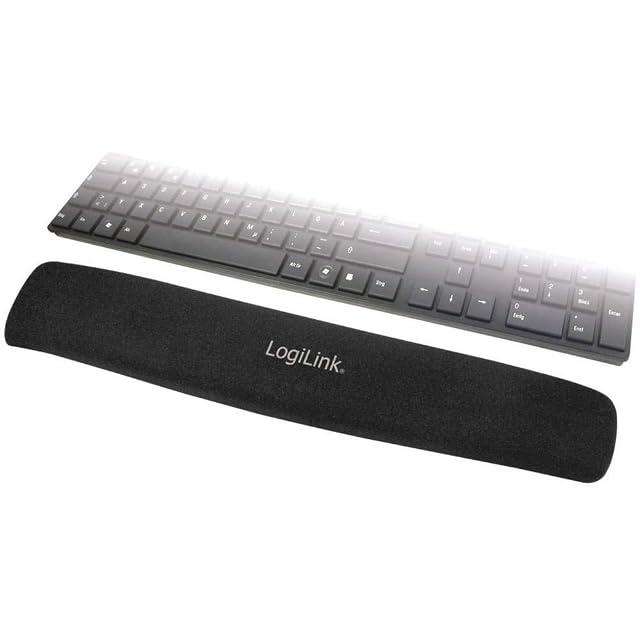
LogiLink is a plain keyboard rest of natural rubber, foam and gel under a Lycra surface, with no size published. On Amazon.com it reads about $35, several times its €6.50 German price — compare sellers before ordering.

All four, and how they compare, are in wrist rests and mouse pads. For the keyboard itself, see ergonomic keyboards.

Which one fits your setup?

You want somewhere to rest between typing
That is what a wrist rest is for, and it is the correct use.
You are resting your wrists while typing
Common guidance advises against it, because anchoring the wrist makes fingers stretch instead of hands moving.
You use a mouse a lot
A large mouse mat matters more than a wrist rest, because surface and space affect how far you reach.
You have persistent pain
That is a matter for a healthcare professional; an accessory is not treatment.

Picking by how you work

Resting during pauses

The intended use of a wrist rest, and the one that is uncontroversial.

Mousing

Where a large smooth mat and room to move the arm matter more than padding. The Hama is a standard-size pad with a rest, not a large mat.

Filling a height gap

Where a rest brings the hand level with a tall keyboard. A flatter keyboard fixes the cause; the VAYDEER does the opposite and raises the keyboard, with its rest at the same level.

Comfort on a hard desk edge

Where a padded edge genuinely helps, and where a rolled towel does much the same thing.

The points that matter after a month

Height relative to the keyboard
The rest should be level with the front edge of the keyboard, not above it. Only the Hama publishes its rest height, 2.1 cm (0.8 in); measure the others against your keyboard.
Firmness
A rest that is too soft lets the wrist sink and press. Firmer supports the heel of the hand without becoming a pressure point.
Mat size and surface
A large mat lets you move from the elbow rather than the wrist, which is usually the more useful change.
Whether it stays put
A mat or rest that creeps across the desk is a constant irritation. Backing grip matters more than material.
Cleanability
Wrist rests sit against skin all day. A cover that can be wiped or washed is not a luxury.

Which figure for which situation

Your aimWhat helpsWhat does not
Somewhere to rest in pausesA firm wrist restA very soft one
Less wrist movementA large mouse matPadding alone
A tall keyboardA flatter keyboardA taller wrist rest
Persistent painProfessional adviceAny accessory

The usual missteps

Resting the wrist while actively typing
Common ergonomic guidance is that the hands should float and move. Anchoring the wrist makes the fingers stretch to reach keys instead.
Choosing a rest that is too tall
A rest higher than the keyboard's front edge bends the wrist upwards, which is the opposite of the intention.
Buying a very soft rest
Soft feels good for a minute and lets the wrist sink and press afterwards. Firmer supports without creating a pressure point.
Using a small mouse mat
A small mat forces movement from the wrist. A large one lets the whole arm move, which is usually the more useful change.

By the person using it

The typist
A firm rest level with the keyboard, used during pauses rather than while typing.
The heavy mouse user
A large mat and lower pointer sensitivity if precision matters, higher if reach does.
The one with a tall keyboard
A flatter keyboard rather than a taller rest, because that fixes the cause instead of compensating.

Wear, warranty and working life

Wrist rests and mats sit against skin all day and absorb oils. The VAYDEER’s surface wipes clean with a damp cloth, per its listing; the fabric tops of the others need washing or replacing once worn. A mat that has gone shiny in one spot tracks differently there.

  • Wipe or wash the surface regularly; skin oils build up quickly.
  • Replace a mat when the surface wears through in the used area.
  • Replace a gel rest whose cover has split rather than continuing to use it.
  • Keep the mat flat; a curled edge catches the mouse.

Safety

A comfort accessory with the usual repetitive strain caveats.

  • Rest between typing rather than while typing.
  • Keep the keyboard and mouse close so you are not reaching.
  • Take short breaks and vary your position.
  • See a healthcare professional about persistent pain, numbness or tingling.

Prices quoted in this text were read on 2026-10-13. The live price is at the top of the page.

The picks, and the grounds for them

  1. ELZO wide memory foam wrist rest for full keyboards

    43 × 8 cm (16.9 × 3.1 in) · slow-rebound memory foam · wave shape · non-slip rubber base

    A 43 × 8 cm (16.9 × 3.1 in) slow-rebound memory foam keyboard rest with a wave-shaped top and a non-slip rubber base — the longest published length in this hub and the lowest price read on Amazon.com.

    Best for: A full-size keyboard that needs one rest spanning both hands, at the lowest price here.

    7.2/10

    ≈ $8

  2. VAYDEER STK011 keyboard stand with built-in wrist rest

    Keyboard stand + wrist rest in one · memory foam · rubber base · dust-resistant

    A keyboard stand and memory-foam wrist rest joined in one seamless piece, raising the keyboard while supporting the wrists, on a rubber base — the only stand in this hub, with no size published.

    Best for: Someone who wants the keyboard raised and the wrists supported by one piece that stays aligned.

    8.4/10

    ≈ $22

  3. Hama ergonomic gel mouse pad with wrist rest

    Mouse pad + rest · 25.5 × 21.5 cm (10 × 8.5 in) · 2.1 cm (0.8 in) rest · gel and memory foam

    A mouse pad with a built-in gel-and-memory-foam wrist rest, 25.5 × 21.5 cm (10 × 8.5 in), with the only published rest height in this hub — 2.1 cm (0.8 in) — and a rubberized non-slip base.

    Best for: A mouse hand that needs support, with a rest height you can check before buying.

    7.8/10

    ≈ $24

What buyers ask us first

How do I check if a wrist rest is the right height?

Put it against the keyboard: its top should be level with the keyboard’s front edge, not above it. Only the Hama publishes a rest height here, 2.1 cm (0.8 in); for the others, measure once it arrives.

Should I use a wrist rest while typing?

Common ergonomic guidance is that it is for pauses rather than typing on. Anchoring the wrist makes the fingers stretch instead of the hands moving.

Soft or firm?

Firmer, generally. A very soft rest lets the wrist sink and creates pressure, which is why gel and memory foam are not automatically better.

One piece or separate rest and mouse pad?

The Hama is a mouse pad with its own rest, so it supports the mouse hand only. For the keyboard you still need a rest such as the ELZO, or the VAYDEER stand that carries one.

Does mouse mat size matter?

More than most people expect. A large mat lets you move from the elbow rather than the wrist. The Hama’s 25.5 × 21.5 cm (10 × 8.5 in) is a standard size, not a large one.

Why is the LogiLink so expensive in the US?

It reads about $35 on Amazon.com against €6.50 in Germany — most likely a third-party seller. Check who sells it before ordering; the LogiLink page has the details.

Will a wrist rest prevent injury?

It is a comfort accessory. Persistent pain, numbness or tingling is a matter for a healthcare professional rather than an accessory purchase.

My mouse tracks badly in one spot. Why?

The mat has worn in the area you use most, which changes the surface. Replacing the mat is the usual fix.

Each pick, and the setup it suits

ELZO Memory Foam Keyboard Pad · $8

Intended for: A full-size keyboard that needs one rest spanning both hands, at the lowest price here.

Its best feature: The longest published length in this hub: 43 cm (16.9 in), enough to span a full-size keyboard for both hands; the LogiLink and VAYDEER give no length

Its worst feature: No height published — check it against your keyboard's front edge

Read the full review →

VAYDEER Keyboard Stand & Wrist Rest · $22

Intended for: Someone who wants the keyboard raised and the wrists supported by one piece that stays aligned.

Its best feature: The only keyboard stand in this hub: it raises the keyboard and supports the wrists in one seamless piece

Its worst feature: No size, keyboard width or stand height published

Read the full review →

Hama Ergo Gel Mouse Pad · $24

Intended for: A mouse hand that needs support, with a rest height you can check before buying.

Its best feature: The only mouse pad in this hub — mousing surface and wrist rest in one piece

Its worst feature: A mouse rest, not a keyboard rest

Read the full review →

LogiLink ID0044 Gel Wrist Rest · $35

Intended for: Basic cushioning in front of a keyboard — bought where it sells at its usual price.

Its best feature: Layered natural rubber, foam and gel rather than a single material

Its worst feature: No size or height published at all

Read the full review →

What you will want with it

Accessories and spares that go with these picks, at the price we noted. Check each one fits what you own before ordering — the listing states the sizes and part numbers.

  • Eglooh Mercurio · Desk pads — Made in Italy · regenerated leather · non-slip scratch-resistant base
  • Gokemuak XXL Shortcut Pad · Desk pads — 90×40cm (35.4 × 15.7 in) · 3mm thick · printed shortcuts
  • Anker PowerWave · Wireless chargers — 10W (Samsung) / 7.5W (iPhone) · LED indicator · 5mm (0.20 in) case-friendly · $24
  • NANAMI A800AC · Wireless chargers — 2 coils · vertical + horizontal · overcurrent/overvoltage protection

The quick version

Pairings that decide it

Head to head, already written, within this guide or this aisle.

How this list was assembled

The products here come from the catalog of this site. Specifications are those the maker and the Amazon listing publish; prices are the Keepa reading for the date below, and both shift. Ranking follows declared specifications, stated strengths set against stated limits, and price. Nothing here has been tested hands-on by us, and no page pretends it has.

Last checked on

The tool we use ourselves

Chosen your tool? Now buy it at the right price.

Office chairs and standing desks swing by thirty dollars or more across the year, and the biggest "discounts" often land at prices the same model sold for six weeks earlier. UniverTrack tracks the real price history across retailers, spots fake reductions, and alerts you when it is genuinely the moment to buy.

Real price historyBuy-now alertsAI buying assistant
Try free for 14 days →
No commitment · Cancel in one click · 5 languages