A monitor arm's weight range against your actual screen's weight decides whether it holds position for years or slowly drifts. This order runs from the widest, longest-warrantied arm down to the most affordable one that still gets the mechanics right.
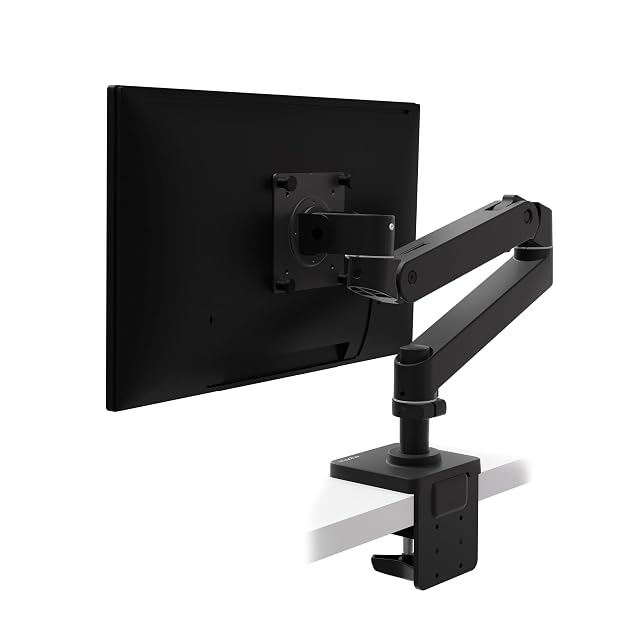
Ergotron’s LX Pro is the clear top pick for large or ultrawide monitors: a 1.8–10 kg (4–22 lb) range, the highest ceiling here, Constant Force motion and a 10-year warranty, against 12 months on the Acer and 2 years on the Invision. Check the desk first: its clamp stops at 60 mm (2.36 in).
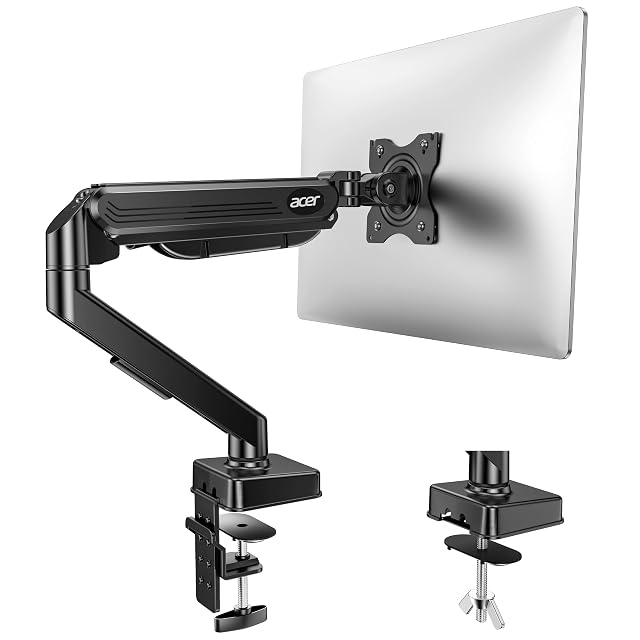
Acer is the balanced mid-range choice: a spring core tested to 20,000 cycles, dual mounting options (clamp or grommet), and full 360° rotation, at the lowest published price in this guide, about $46 against $199 for the Ergotron.
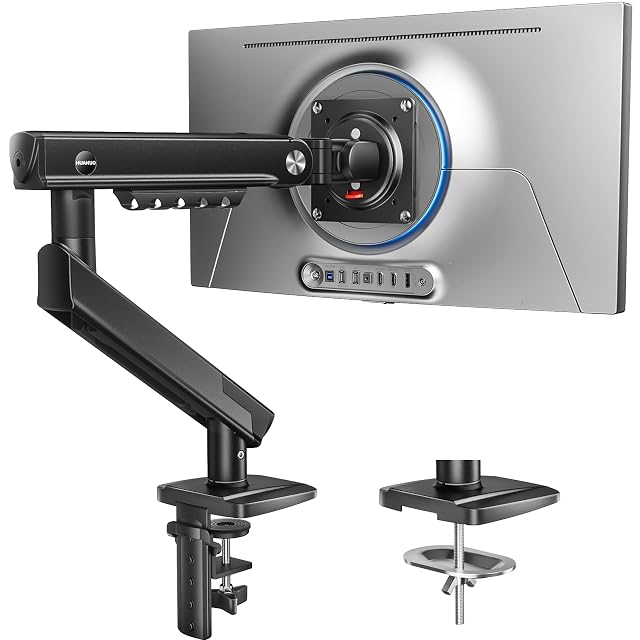
HUANUO is the only arm here that states a purely mechanical spring, with no gas: a steel spring HUANUO says lost no force after 50,000 cycles, with TÜV-tested mechanics, a tension window that simplifies setup, and a clamp for desks up to 90 mm (3.54 in) thick — for screens up to 32 in.
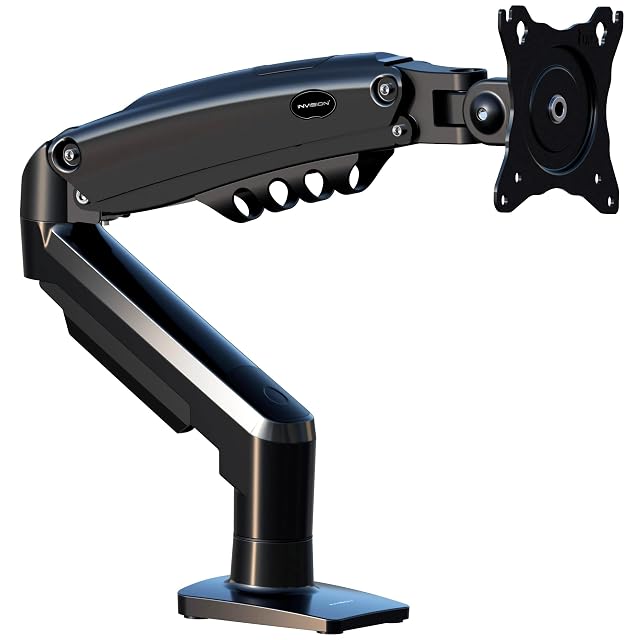
Invision puts its screen size (19–32 in) and weight (2–9 kg) in the title, then leans on sustainability messaging — it gives no spring type, desk-thickness range or height travel, so ask the seller before buying.
Which one fits your setup?
You want the screen at the right height
That is the whole point, and it is the change most people notice immediately.
You have a large or heavy monitor
The weight range is a hard limit, and being at the bottom of a range is as bad as being over the top.
Your desk has a thin or glass top
Clamp mounting may not be safe, and a grommet or a freestanding base becomes the answer.
You want desk space back
An arm frees the footprint of the stand, which on a small desk is a real gain.
Picking by how you work
Setting screen height
The main benefit. A stand often leaves the screen lower than eye level; an arm sets the height to suit you.
Dual monitors
Where arms genuinely transform a desk, because two stands eat most of the surface.
Sharing a screen
Swinging a monitor towards a colleague, which a fixed stand cannot do.
Reclaiming desk space
The under-appreciated benefit, and the reason arms suit small desks especially.
The points that matter after a month
The weight range, both ends
Spring arms have a minimum as well as a maximum. A light monitor on a heavy-duty arm will not stay where you put it. The Ergotron publishes 1.8–10 kg; the others give a 9 kg maximum.
The mounting method
Clamp, grommet or freestanding. Desk thickness, an overhanging lip and a glass top all decide which is safe.
VESA compatibility
All four take VESA 75 and 100 mm patterns; a monitor with another pattern needs an adaptor plate. Checking before buying avoids a return.
Range of movement you will use
Height, depth, tilt and rotation. Height and tilt are the adjustments you will make most; reach matters on a deep desk — 48 cm on the Acer, 47.5 cm on the HUANUO.
Desk depth
An arm pushes the screen further back, which is usually good. On a shallow desk it can be the only way to get enough viewing distance.
Which figure for which situation
Your setup
The arm
The check
One light monitor
A spring arm with a low minimum
The minimum weight too
A large monitor
A heavy-duty arm
The maximum weight
Two monitors
A dual arm or two singles
Desk edge space
Glass or thin desk
Freestanding base
Clamping may not be safe
The usual missteps
Ignoring the minimum weight
A spring arm has a range. Below the minimum it springs upward and will not hold position, which surprises people who assume stronger is safer.
Clamping to an unsuitable desk
Glass, thin tops and desks with a lipped edge are not all clampable. Check before drilling or clamping, not after.
Not tensioning the arm
Spring arms, gas or mechanical, need tensioning for the monitor’s weight. An arm that drifts is usually set for a different weight rather than faulty.
Setting the screen too high
An arm makes it easy to go too far. The usual guidance is that the top of the screen sits around eye level, with the screen tilted slightly back.
By the person using it
The single-screen worker
A spring arm matched to the monitor’s weight, clamped to a solid desk within its stated thickness.
The dual-screen setup
Either a dual arm or two singles, with enough desk edge to clamp both.
The small desk
An arm for the space it gives back, which is often the strongest argument.
Wear, warranty and working life
A monitor arm is a spring and a set of pivots under constant load. What loosens is the tension adjustment and the pivot friction, and both are designed to be adjusted rather than replaced.
Retension the spring when the monitor starts to drift.
Tighten the pivot friction screws if the screen will not stay at an angle.
Check the clamp periodically; it works loose with movement.
Keep the cable routing clear so movement does not strain the connectors.
Safety
A heavy screen held over your desk by a clamp.
Stay inside the stated weight range at both ends.
Check the clamp is tight before and after any repositioning.
Support the monitor when adjusting tension; an untensioned arm can swing violently.
Do not mount to a desk you are unsure about, and never to unsupported glass.
Prices quoted in this text were read on 2026-08-29. The live price is at the top of the page.
up to 34" · 1.8–10 kg (4–22 lb) · Constant Force motion · 10-year warranty
A monitor arm with Constant Force motion, the highest weight ceiling in this hub at 10 kg (22 lb), 33 cm (13 in) of height adjustment and a 10-year warranty — on a clamp that fits desks only up to 60 mm.
Best for: A heavy screen up to 10 kg (22 lb), repositioned through the day, on a desk no thicker than 60 mm (2.36 in).
17–34" · 2–9 kg (4.4–19.8 lb) · gas spring tested to 20,000 cycles · clamp or grommet
A gas-spring monitor arm for 17–34" screens up to 9 kg (19.8 lb), with clamp and grommet mounting, a spring tested to 20,000 cycles and the lowest published price in this hub.
Best for: A 27 to 34 in screen up to 9 kg (19.8 lb) on a budget, on a desk where a grommet hole is easier than a clamp.
Mechanical steel spring · 2–9 kg (4.4–19.8 lb) · 13–32" · fits 15–90 mm (0.59–3.54 in) desks
The only monitor arm in this hub that states a purely mechanical spring, with no gas: HUANUO says it measured 0% force loss after 50,000 cycles, with TÜV-tested mechanics, on a 90% steel and aluminum arm for 13–32" screens up to 9 kg (19.8 lb).
Best for: A screen up to 32 in and 9 kg (19.8 lb) on a thick desk, for someone who wants a spring that does not lose force over time.
19–32" · 2–9 kg (4.4–19.8 lb) · VESA 75/100 · 2-year warranty
A single monitor arm for 19–32" screens of 2 to 9 kg (4.4 to 19.8 lb), sold mostly on climate-neutral and wellbeing claims, with a 2-year warranty and compatibility promise — and no word on its spring.
Best for: A 19 to 32 in screen up to 9 kg (19.8 lb), for a buyer to whom the climate-neutral claim matters.
How do I know if an arm will hold my specific monitor?
Weigh the monitor without its stand, or check its listed weight, and stay inside the arm’s range with a margin from both ends. The Ergotron takes 1.8–10 kg; the Acer, HUANUO and Invision up to 9 kg.
Does desk thickness matter?
Yes — check an arm's stated desk-thickness compatibility against your actual desk edge before buying; clamp mounts have a real minimum and maximum grip range.
How high should my monitor be?
Common guidance puts the top of the screen around eye level, with a slight backward tilt and an arm's length of viewing distance. Adjust from there to what feels comfortable.
Will my monitor fit a standard arm?
Most have a standard VESA pattern; some need an adaptor plate the manufacturer sells. Check the pattern before buying the arm.
Why does my arm drift down?
Usually the tension is not set for that monitor’s weight; spring arms need adjusting, gas or mechanical. Setting spring tension shows how.
Can I clamp to a glass desk?
Often not safely. Glass, thin tops and lipped edges all need checking, and a freestanding base is the alternative.
Is a minimum weight a real problem?
Yes. A light monitor on a heavy-duty arm will spring upwards and refuse to hold position. Match the arm to the actual monitor weight.
Single arm or dual?
A dual arm uses one mounting point and saves desk edge; two singles are more flexible and often steadier. Both work, and desk edge space usually decides.
Intended for: A heavy screen up to 10 kg (22 lb), repositioned through the day, on a desk no thicker than 60 mm (2.36 in).
Its best feature: The highest weight ceiling in this hub: 10 kg (22 lb), against 9 kg on the other three
Its worst feature: The clamp fits desks only 10 to 60 mm (0.39 to 2.36 in) thick, the narrowest range in this hub; a through-bolt mount is sold separately
Accessories and spares that go with these picks, at the price we noted. Check each one fits what you own before ordering — the listing states the sizes and part numbers.
Amazon Basics DS-MA-E02 · Dual monitor mounts — 22 lb per arm · up to 32 in · clamp 0.39–4.25 in · $40
Acer AMS002 · Dual monitor mounts — 17–32 in · 19.8 lb per arm · 18.1 in rise · 21.25 in reach · $70
The products here come from the catalog of this site. Specifications are those the maker and the Amazon listing publish; prices are the Keepa reading for the date below, and both shift. Ranking follows declared specifications, stated strengths set against stated limits, and price. Nothing here has been tested hands-on by us, and no page pretends it has.
Last checked on
The tool we use ourselves
Chosen your tool? Now buy it at the right price.
Office chairs and standing desks swing by thirty dollars or more across the year, and
the biggest "discounts" often land at prices the same model sold for six weeks earlier.
UniverTrack tracks the real price history across retailers, spots fake
reductions, and alerts you when it is genuinely the moment to buy.
Real price historyBuy-now alertsAI buying assistant