Two figures decide whether a standing desk copes with a loaded top for years — how many motors drive it, and the load it is rated for — and most listings publish neither. This order runs from the only confirmed dual-motor frame down to the lightest-use option.
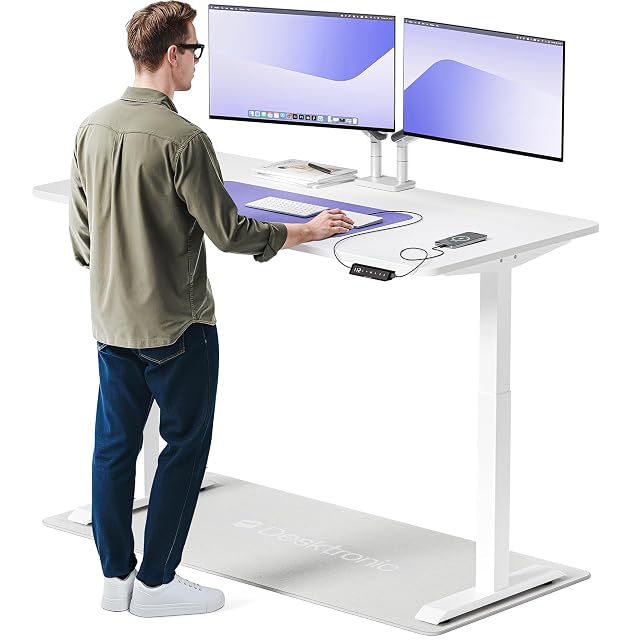
Desktronic leads as the only desk in this guide whose listing states two motors, with a TÜV-certified motor, the largest top here (160 × 80 cm, 63 × 31.5 in) and anti-collision — but no published height range or load rating, so check both with the seller.
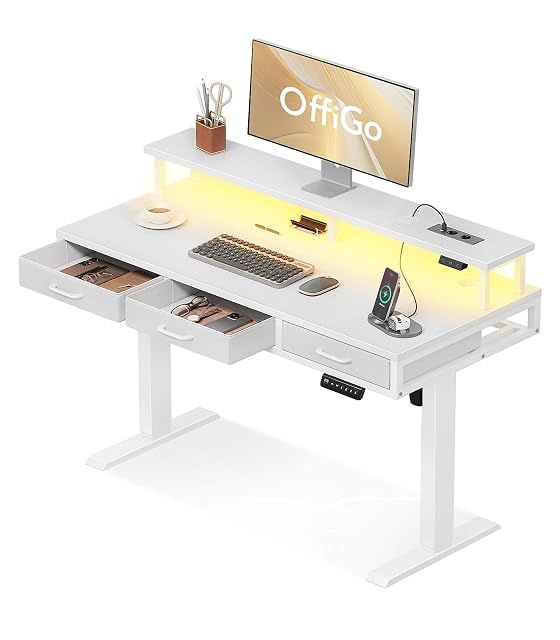
OffiGo is the most complete package for anyone who also needs storage: three drawers, a built-in monitor stand and power outlets bundled into the desk itself — on a frame that starts at 78 cm (30.7 in), 6 cm higher than the others, and publishes no load.
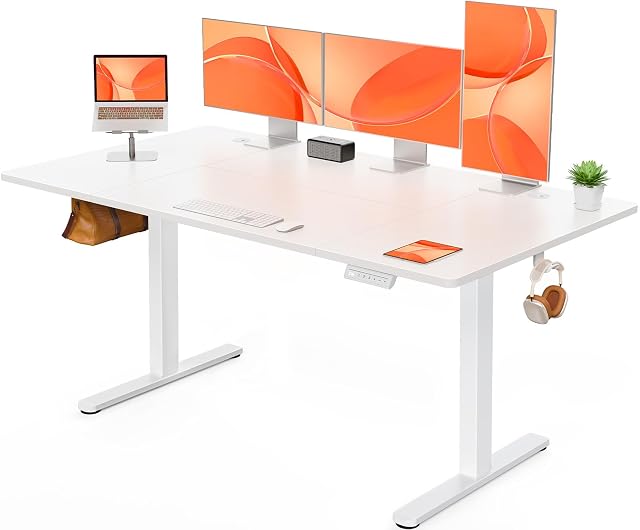
ErGear is the best-documented frame for daily use: an 80 kg (176 lb) stated load and a 50,000-cycle lift test, the higher of the only two load and cycle figures in this guide.
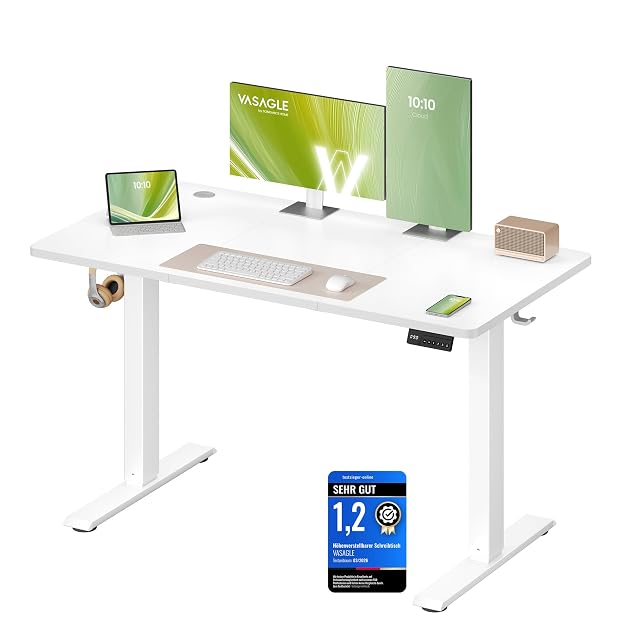
VASAGLE has the widest published range here, 72–120 cm (28.3–47.2 in), and four memory presets, with a 70 kg (154 lb) stated load — fine for a single monitor, worth checking against a heavier multi-monitor setup.
Which one fits your setup?
You want to alternate sitting and standing
That is the point, and a desk with memory presets is what makes the change actually happen.
You are unusually tall or short
The height range at both ends is the specification that decides whether the desk works for you at all.
You have a heavy setup
Ask whether the stated lifting capacity includes the desktop itself; only the ErGear (80 kg) and VASAGLE (70 kg) publish one here.
You want it to be steady
Wobble at standing height depends on the frame and legs more than the motor; none of these listings publishes a stability figure, so ask.
Picking by how you work
Alternating through the day
The intended use. Standing for part of the day rather than all of it is the point, and memory presets make it happen.
Sharing a desk
Where memory positions save a daily argument and where the height range must suit both people.
A heavy multi-monitor setup
Where lifting capacity and frame rigidity become real constraints rather than numbers on a page.
Occasional standing
Where a desk converter on an existing desk may make more sense than replacing the desk.
The points that matter after a month
Height range at both ends
The lowest and highest positions matter more than the travel. A desk that does not go low enough to sit at properly is a problem you meet every day.
Stability at standing height
Wobble at height depends on the legs and frame more than motor power. None of these listings publishes a figure for it; leg size — 70 × 70 mm on the Desktronic, 65 mm on the ErGear — is the nearest clue.
Lifting capacity, including the top
Listings rarely say whether the stated capacity includes the desktop. A heavy solid top plus monitors can approach the limit faster than expected.
Memory presets
Presets make a change of height one button press. The ErGear and VASAGLE store four, the OffiGo three; the Desktronic has presets without a stated count.
Cable management
A desk that moves needs its cables to move with it. Leave enough slack for the full travel before the first raise.
Which figure for which situation
Your situation
What to check
The consequence
Tall or short
The range at both ends
A desk you cannot sit at
Heavy setup
Capacity including the top
Motors that struggle
Sharing
Memory presets
Nobody adjusts it
Standing often
Frame stability
Wobble at height
The usual missteps
Ignoring the minimum height
Standing desks are sold on how high they go. If the lowest position is too high for you to sit at comfortably, you have bought a standing-only desk.
Forgetting the desktop in the capacity
A solid wood top is heavy before anything is placed on it, and listings rarely say whether the stated capacity includes it.
Not managing cables before the first raise
The first full-height raise with unmanaged cables is how monitors get pulled off desks. Do this before, not after.
Standing all day instead of sitting all day
Standing for eight hours brings its own discomfort. Alternating is the point, and a desk is a tool for changing position rather than for choosing a new fixed one.
By the person using it
The full-time home worker
Memory presets, a range that suits you at both ends, and proper cable management from day one.
The heavy setup
Capacity checked including the top, and a frame chosen for rigidity rather than motor speed.
The occasional stander
A desktop converter on an existing desk, which costs far less and takes no floor space.
Wear, warranty and working life
An electric desk is a frame, one or more motors and a control box. When a leg lags or the desk stops, the reset procedure in the manual is the first thing to try before assuming a motor has failed.
Learn the reset procedure in the manual; it is the first thing to try when the desk lifts unevenly.
Keep the columns free of dust and do not exceed the duty cycle in the manual.
Check cable slack at full height regularly, especially after adding equipment.
Retighten the frame fixings occasionally; a moving desk works its bolts loose.
Safety
A powered desk moves with real force, and it moves near people and cables.
Check nothing is under the desk before lowering, especially in a household with children or pets.
Check nothing above the desk can be struck when raising.
Verify cable slack at full height before the first use and after any change.
Alternate position through the day rather than standing continuously, and seek professional advice for persistent discomfort.
Two motors · 160 × 80 cm (63 × 31.5 in) · TÜV-certified motor · anti-collision
The only desk in this hub whose listing states two motors: a 160 × 80 cm (63 × 31.5 in) top on 70 × 70 mm steel legs, with a TÜV-certified motor and anti-collision — and no stated height range or load.
Best for: A large two-monitor desk where a confirmed dual-motor frame matters more than a published height range.
78–120 cm (30.7–47.2 in) · 3 drawers · monitor stand · 3 presets
A 120 cm (47.2 in) standing desk bundling three fabric drawers, a monitor stand, two outlets and two USB ports, with a 78–120 cm (30.7–47.2 in) range and three presets — and no stated load.
Best for: Someone who wants storage and a monitor riser built into the desk, and sits tall enough for a 78 cm (30.7 in) lowest position.
72–118 cm (28.3–46.5 in) · 80 kg (176 lb) load · 4 presets · 50,000-cycle test
A 140 × 70 cm (55.1 × 27.6 in) standing desk with a 72–118 cm (28.3–46.5 in) range, four memory presets, an 80 kg (176 lb) stated load and a lift system tested to 50,000 cycles.
Best for: Someone who wants a published load rating and lift-cycle figure to plan a two-monitor setup against.
72–120 cm (28.3–47.2 in) · 70 kg (154 lb) load · 4 presets · 20,000-cycle test
A standing desk with the widest published height range in this hub, 72–120 cm (28.3–47.2 in), four memory presets, a 70 kg (154 lb) stated load and a motor tested to 20,000 cycles.
Best for: A single-monitor setup for someone who needs the desk to go both low and high.
Is a dual-motor desk always better than a single-motor one?
A dual-motor frame generally holds a loaded desktop more evenly, but a well-built single-motor desk is fine for a lighter setup — check the stated weight capacity against what will actually sit on the desk.
What should I check before buying any standing desk?
The motor count, the stated load against your actual desktop weight, the lowest and highest heights, and the lift-cycle rating. In this guide only the Desktronic states two motors, only the ErGear and VASAGLE state a load and a cycle test, and the Desktronic gives no height range.
How high and low does a standing desk need to go?
Low enough for you to sit at with feet flat and forearms level, and high enough to stand comfortably. The low end is the one buyers forget to check.
Why does my desk wobble at standing height?
Frame design more than motor power. Three-stage legs and a well-braced frame are generally steadier at height than a basic two-stage frame.
Does the lifting capacity include the desktop?
Listings rarely say. A solid top is heavy before you add anything, so ask whether the stated figure — 80 kg on the ErGear, 70 kg on the VASAGLE — includes it.
Are memory presets worth it?
They make a change of position one button press instead of holding the button and judging by eye. The ErGear and VASAGLE store four heights, the OffiGo three.
Should I stand all day?
No. Standing continuously brings its own discomfort. The purpose is to change position through the day rather than to swap one fixed posture for another.
Is a converter as good as a full desk?
For occasional standing it is cheaper, takes no floor space and works well. For all-day alternation a full desk is steadier and less compromised.
Intended for: Someone who wants storage and a monitor riser built into the desk, and sits tall enough for a 78 cm (30.7 in) lowest position.
Its best feature: Three fabric drawers on a steel frame and a full-width monitor stand built in
Its worst feature: The highest minimum height in this hub: 78 cm (30.7 in), 6 cm (2.4 in) above the 72 cm (28.3 in) of the ErGear, VASAGLE and Veken — a real limit for a shorter sitter
Accessories and spares that go with these picks, at the price we noted. Check each one fits what you own before ordering — the listing states the sizes and part numbers.
ErGear EGESD3W032607 · Standing desk parts — 28.3–46.5 in · crossbar 35.4–53.1 in · 176 lb · 4 presets · $140
The products here come from the catalog of this site. Specifications are those the maker and the Amazon listing publish; prices are the Keepa reading for the date below, and both shift. Ranking follows declared specifications, stated strengths set against stated limits, and price. Nothing here has been tested hands-on by us, and no page pretends it has.
Last checked on
Prices quoted in these summaries are dated readings. The live price is shown next to each product.
The tool we use ourselves
Chosen your tool? Now buy it at the right price.
Office chairs and standing desks swing by thirty dollars or more across the year, and
the biggest "discounts" often land at prices the same model sold for six weeks earlier.
UniverTrack tracks the real price history across retailers, spots fake
reductions, and alerts you when it is genuinely the moment to buy.
Real price historyBuy-now alertsAI buying assistant