Skip to content

Ergonomic and vertical mice, ranked by budget

Grip angle alone doesn't decide whether a vertical mouse suits you — hand size does, and only one manufacturer here is explicit about which hand sizes its mouse is (and isn't) built for.

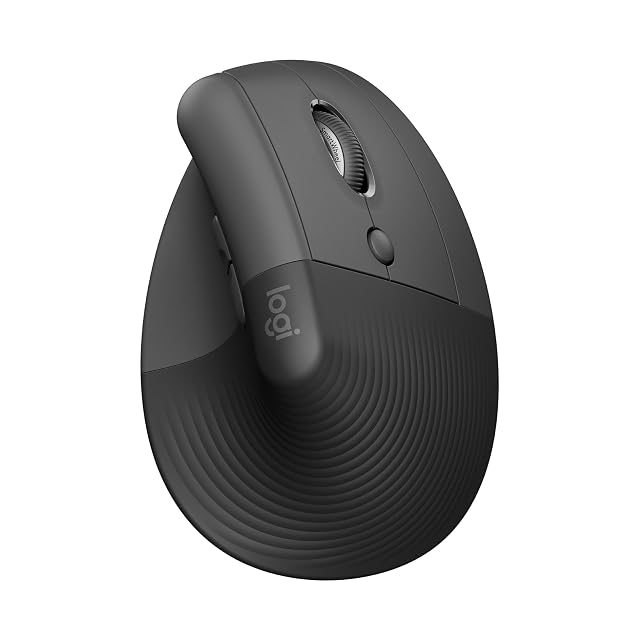
Logitech’s Lift Vertical is the top pick for anyone it fits: designed to ergonomics specialists’ criteria, with up to 2 years of battery life — though it’s specifically sized for right-handed, small-to-medium hands.

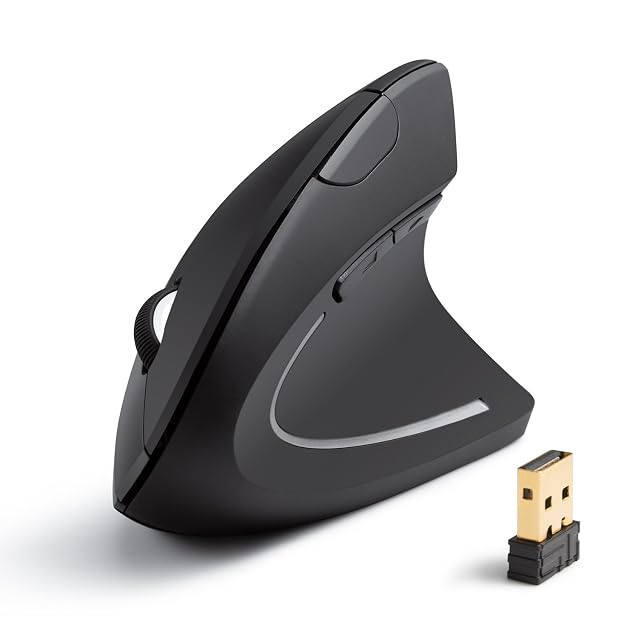
Anker suits medium-to-large hands specifically: the only mouse here with published dimensions (115 × 58 × 87 mm, 90 g) and an 18-month warranty — and a maker that states who its product does not fit.

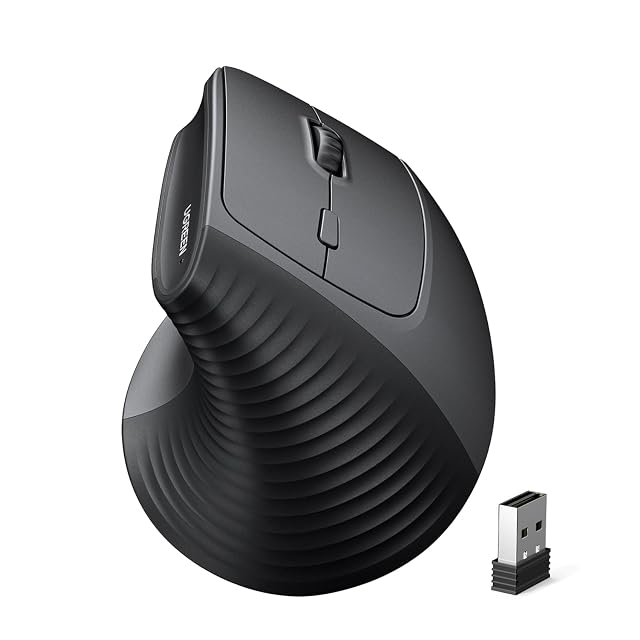
UGREEN offers the broadest OS compatibility and the highest DPI in this guide (up to 4000), with dual 2.4G/Bluetooth 5.4 connectivity, at about $22 on Amazon.com.

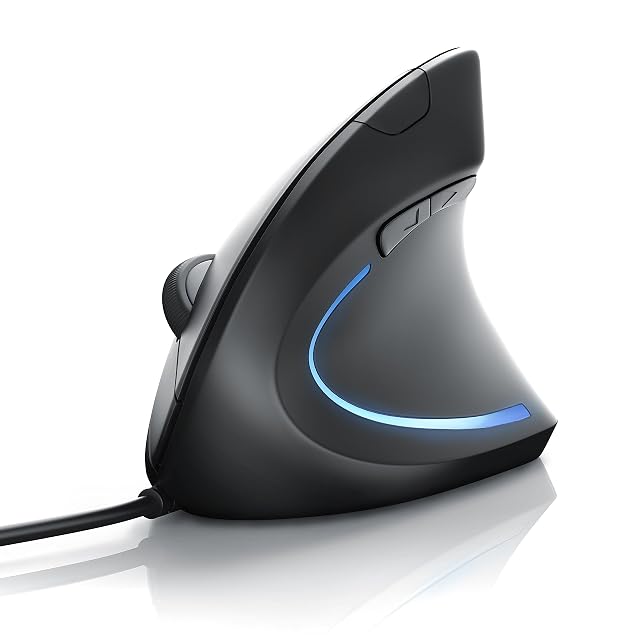
CSL-Computer is wired, avoiding batteries entirely — a solid basic option, though its RSI-prevention marketing language is worth reading with skepticism.

Which one fits your setup?

You want less forearm rotation
A vertical mouse holds the hand in a handshake position, which is the main idea behind the category.
You do precise work
A vertical shape is harder to control finely at first, and that adaptation is real.
You want to change batteries rarely
Logitech states up to two years for the Lift, UGREEN about a year in low-power mode; the wired CSL needs none.
You have existing pain
That belongs with a healthcare professional; changing a mouse is a setup change, not a treatment.

Picking by how you work

General office work

Where a vertical mouse is easiest to adopt, because precision demands are modest.

Design and precise work

Where the adaptation is harder and where some people return to a conventional shape.

Large or high-resolution screens

Where a higher DPI setting — up to 4000 on the UGREEN — crosses the screen with less hand movement.

Shared computers

Where an unusual mouse frustrates everyone else, and a conventional one avoids the argument.

The points that matter after a month

Vertical angle
All four here are vertical mice; the Logitech and UGREEN publish a 57° angle. The angle turns the forearm toward a handshake position.
Size relative to your hand
The specification that matters most and the one least often checked. A mouse too small for your hand makes you grip rather than rest.
Button placement
On a vertical mouse the buttons sit differently, and reaching them can be awkward at first. Worth trying if you can.
Adjustable sensitivity
A higher sensitivity setting means less arm movement for the same cursor travel, which is a free change most people never make.
Wired or wireless
Wireless removes a cable that drags; wired removes a battery to charge. Neither is more ergonomic in itself.

Which figure for which situation

Your needThe shapeThe trade
Less forearm rotationVerticalHarder precision at first
A gentle changeSculpted conventionalSmaller effect
Large screensA higher-DPI vertical mouseTwitchy pointing if set too high
Shared computerConventionalNo change at all

The usual missteps

Buying without checking hand size
A mouse that is too small makes you grip it. None of these is sold in several sizes; read the maker’s hand-size statement — Logitech and Anker give one, UGREEN and CSL do not.
Expecting immediate precision
A vertical mouse takes days to feel natural and longer for fine work. Judging it in an hour is judging the novelty.
Ignoring sensitivity settings
Raising the pointer sensitivity means moving your arm less for the same result. It costs nothing and most people never try it.
Treating a mouse as a cure
A different shape changes how you hold your hand. Persistent pain is a matter for a healthcare professional, not a purchase.

By the person using it

The office worker
A vertical mouse sized to their hand, with a couple of weeks to adapt.
The designer
Often a conventional or lightly sculpted mouse, because fine precision matters more than the wrist angle change.
The no-batteries user
The wired CSL, with a physical 1000/1600 DPI switch and a 1.5 m cable.

Wear, warranty and working life

Mice wear at their switches and feet, and collect skin oils and dust on the sensor. A cursor that stutters is often a dirty sensor or a worn mouse mat; clean both before blaming the mouse.

  • Clean the sensor window and the feet; both affect tracking directly.
  • Wipe the shell regularly; skin oils degrade grip coatings over time.
  • Replace the mouse mat when it wears; the surface matters to tracking.
  • On the wireless mice, replace or recharge the batteries before suspecting the receiver.

Safety

Again a matter of repetitive strain rather than immediate hazards.

  • Keep the mouse close so you are not reaching sideways for it.
  • Vary your grip and take short breaks.
  • Raise pointer sensitivity so smaller movements do the work.
  • See a healthcare professional about persistent pain, numbness or tingling.

Prices quoted in this text were read on 2026-08-29. The live price is at the top of the page.

The picks, and the grounds for them

  1. Logitech Lift Vertical wireless ergonomic mouse

    57° vertical · small-to-medium right hands · Bluetooth or Logi Bolt · up to 2-year battery

    A wireless 57° vertical mouse designed to criteria set by ergonomists, for right-handed users with small to medium hands, with a SmartWheel, quiet clicks and the longest stated battery life in this hub.

    Best for: A right-handed user with a small to medium hand who wants the longest battery life and a quiet, customizable mouse.

    8.7/10

    ≈ $70

  2. Anker wireless vertical ergonomic mouse

    Wireless vertical · 800–1600 DPI · 115 × 58 × 87 mm, 90 g · not for small hands

    A wireless vertical mouse with five buttons and 800/1200/1600 DPI — the only mouse in this hub that publishes its size and weight, 115 × 58 × 87 mm and 90 g, and says outright it does not suit small hands.

    Best for: A medium or large hand that wants to check the size against a measurement before buying.

    7.7/10

What buyers ask us first

What hand size do these mice suit?

It varies — Logitech states its Lift Vertical suits small-to-medium right hands specifically, while Anker states its mouse is not suited to small hands. Check the stated fit before buying rather than assuming universal compatibility.

Do vertical mice prevent RSI?

No mouse can guarantee prevention of a medical condition — a vertical grip changes forearm rotation, which some people find more comfortable, but persistent pain is a question for a professional, not a purchase.

Does a vertical mouse actually help?

It holds the forearm in a less rotated position, which many users find more comfortable. Whether it helps you is individual, and it is a setup change rather than a treatment.

How long does it take to get used to?

Usually days for general use and longer for precise work. Judging it in the first hour is judging the novelty rather than the shape.

What size mouse do I need?

One matched to your hand. None of these four is sold in several sizes; Logitech sells the Lift for small to medium hands, Anker says its mouse does not suit small ones, and only the Anker publishes its size.

Does pointer sensitivity matter?

Higher sensitivity means less arm movement for the same cursor travel. The UGREEN offers four DPI steps up to 4000, the Anker three up to 1600 and the CSL a 1000/1600 switch.

Will it stop my wrist hurting?

It may change how you hold your hand, which some people find helps. Persistent pain is a matter for a healthcare professional.

Each pick, and the setup it suits

Logitech Lift Vertical · $70

Intended for: A right-handed user with a small to medium hand who wants the longest battery life and a quiet, customizable mouse.

Its best feature: Sold as "Ergo certified": designed, developed, tested and approved to criteria set by leading ergonomists, says Logitech — the only such claim in this hub

Its worst feature: Right-handed, small-to-medium hands only, by Logitech's own statement

Read the full review →

Anker Vertical Mouse

Intended for: A medium or large hand that wants to check the size against a measurement before buying.

Its best feature: The only mouse in this hub that publishes its dimensions and weight: 115 × 58 × 87 mm (4.53 × 2.28 × 3.43 in), 90 g (3.2 oz)

Its worst feature: Not suited to small hands, by the maker's own statement

Read the full review →

UGREEN Vertical Mouse · $22

Intended for: A first vertical mouse on a high-resolution screen, used with both a computer and a tablet or phone.

Its best feature: The highest DPI setting in this hub: four levels, 1000/1600/2000/4000

Its worst feature: No hand-size guidance, no dimensions and no weight on the listing — the Anker publishes all three

Read the full review →

CSL-Computer TM137G

Intended for: A fixed desk where a battery-free vertical mouse matters more than wireless freedom.

Its best feature: The only wired mouse in this hub: nothing to charge or replace

Its worst feature: The title markets it against “mouse arm” and tennis elbow (RSI) — a medical claim this site does not repeat

Read the full review →

What you will want with it

Accessories and spares that go with these picks, at the price we noted. Check each one fits what you own before ordering — the listing states the sizes and part numbers.

  • Eglooh Mercurio · Desk pads — Made in Italy · regenerated leather · non-slip scratch-resistant base
  • Gokemuak XXL Shortcut Pad · Desk pads — 90×40cm (35.4 × 15.7 in) · 3mm thick · printed shortcuts
  • ICY BOX IB-DK2251AC · USB hubs & docking — 2 × HDMI 2K 60 Hz · 6 × USB 3.0 · Gigabit Ethernet · DisplayLink
  • Leikurvo Desk Grommet Hub · USB hubs & docking — 60mm (2.36 in) grommet fit · 2× USB 3.0 + USB-C · SD/TF readers
  • Anker PowerWave · Wireless chargers — 10W (Samsung) / 7.5W (iPhone) · LED indicator · 5mm (0.20 in) case-friendly · $24
  • NANAMI A800AC · Wireless chargers — 2 coils · vertical + horizontal · overcurrent/overvoltage protection

The quick version

Pairings that decide it

Head to head, already written, within this guide or this aisle.

How this list was assembled

The products here come from the catalog of this site. Specifications are those the maker and the Amazon listing publish; prices are the Keepa reading for the date below, and both shift. Ranking follows declared specifications, stated strengths set against stated limits, and price. Nothing here has been tested hands-on by us, and no page pretends it has.

Last checked on

The tool we use ourselves

Chosen your tool? Now buy it at the right price.

Office chairs and standing desks swing by thirty dollars or more across the year, and the biggest "discounts" often land at prices the same model sold for six weeks earlier. UniverTrack tracks the real price history across retailers, spots fake reductions, and alerts you when it is genuinely the moment to buy.

Real price historyBuy-now alertsAI buying assistant
Try free for 14 days →
No commitment · Cancel in one click · 5 languages