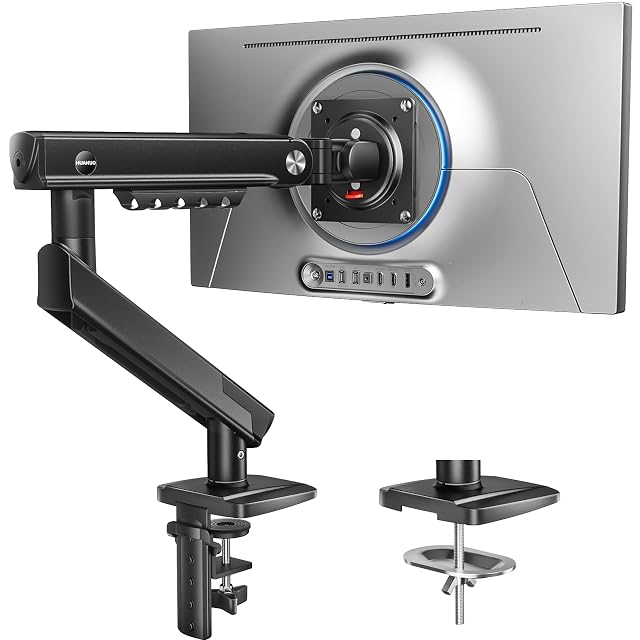
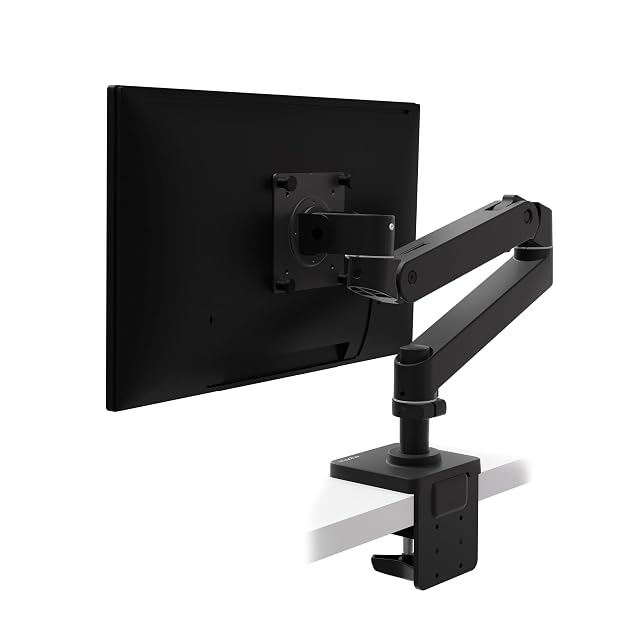
Check desk thickness before ordering, not after. Every arm states a range for its clamp and its grommet — the HUANUO in the monitor arms hub, for instance, fits desks 15 to 90 mm (0.59 to 3.54 in) thick. Measure the edge where the clamp will close, and check underneath for a frame rail or drawer that would block it.
Know the monitor’s weight before mounting it. The screen has to sit inside the arm’s weight range — 2 to 9 kg (4.4 to 19.8 lb) on the HUANUO, 1.8 to 10 kg (4 to 22 lb) on the Ergotron — and ideally in the middle of it, where the spring has adjustment left either way. The weight without the stand is in the monitor’s manual or on its specification page. What to check before buying a monitor arm covers the rest of the list.
Fit the VESA plate to the monitor first, flat on a soft surface. It is far easier to line up four small screws with the screen lying face down on a towel than with the arm already holding it. Use the screw length supplied for your monitor; deep-backed or curved screens may need the spacers in the box.
Set the tension with the screen mounted. Most spring arms adjust with a hex key or a dial at the elbow. If the screen drifts down when you let go, add tension; if it springs up or is hard to pull down, reduce it. Adjust in small steps and test at the height you will actually use.
Route the cables before the final tightening. Run them through the arm’s clips or channel while you can still move the arm freely, leaving enough slack at each joint for its full range — a cable pulled tight at the elbow is what stops an arm short of its reach.
Re-check after a week. Joints and springs bed in slightly in the first days of use; a small tension and clamp adjustment early prevents the slow drift that is the most common complaint. For two screens, the same steps apply per arm — the dual monitor mounts hub compares the double versions.
What buyers ask us first
Why does my monitor arm sag after a few weeks?
Most often the tension was set for a lighter screen than the one mounted, or the joints have bedded in. Choose an arm whose weight range puts your monitor in the middle rather than at the top, and re-check the tension after the first week.
Clamp or grommet mount — which should I use?
A clamp is quicker to fit and remove and needs only a free desk edge within its stated range. A grommet goes through a hole in the desk and suits a top whose edge is too thin, too thick or blocked by a frame rail for the clamp.
Does the arm type change how tension is set?
The principle is the same — balance the spring against the screen's weight — but the mechanism differs. The HUANUO in this site's monitor arm hub uses a mechanical steel spring; the Ergotron uses its own Constant Force mechanism. Follow the adjustment the manual describes for your arm.
Last reviewed 13 October 2026