Expect your typing speed to drop before it improves. A split layout puts your hands further apart and at a different angle, and your fingers have to relearn the reach to each key. A week or two of noticeably slower typing is typical and is not a sign the keyboard is wrong for you.
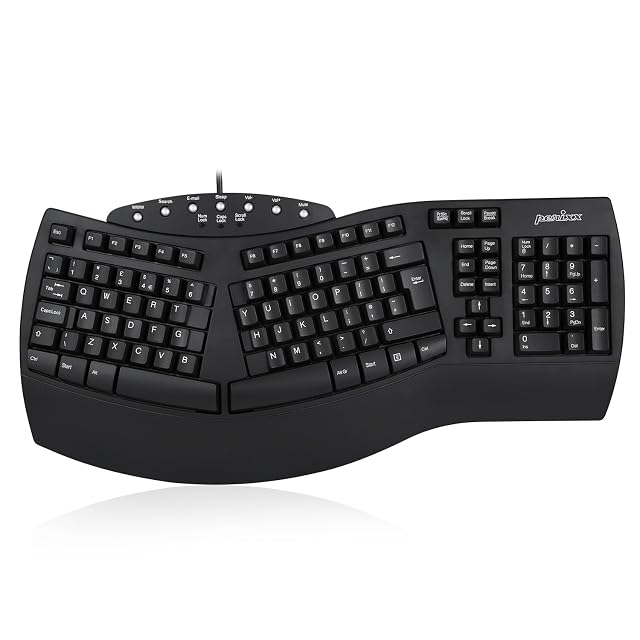
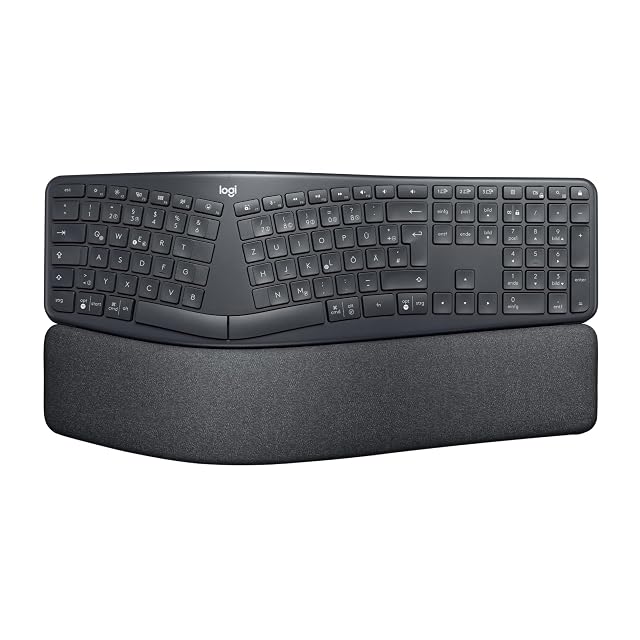
Start with a fixed split. One-piece keyboards with a built-in split and slope — the Perixx PERIBOARD-512 and the Logitech ERGO K860 in the ergonomic keyboards hub are both of this kind — change the hand position without asking you to place two separate halves. The relearning is smaller, and there is nothing to set up wrong.
Check the layout before ordering. Ergonomic keyboards are sold in several regional layouts; the Perixx in the hub is listed with a UK QWERTY layout, which moves a few symbol keys and the Enter key compared with US QWERTY. The listing title or the key photo says which one you are getting.
Set the tilt gently. Many split keyboards include a palm rest and adjustable feet, and some, like the K860, tilt the back below the front. Start flat, type for a few days, and lower it only if your wrists still bend upward. A wrist rest used during pauses rather than while typing helps the same way.
Watch for the difference between adjustment and mismatch. Slower typing that improves day by day is adjustment. Wrist pain that persists, or a keyboard that still feels wrong after several weeks, suggests the angle or shape does not suit your hands — that is a reason to change the setup or the keyboard, not to push through.
What buyers ask us first
How long does the adjustment period usually last?
Commonly a week or two of noticeably slower typing before speed recovers. It varies with how much you type and how far the new layout is from your old one; a fixed split is usually quicker to get used to than two separate halves.
Should I switch completely or ease into it?
Easing in — a few hours a day at first, on work that is not urgent — is usually more comfortable than switching on a deadline day, especially for touch typists relearning the keys at the gap.
Which keys cause the most trouble?
The ones next to the split. Keys like 6, T, G and B sit at the edge of each half, and a typist who reaches across with the wrong hand on a standard keyboard finds them on the other side of the gap. That habit is what the first weeks retrain.
What does negative tilt do?
It lowers the back of the keyboard below the front, so the wrists can stay straight instead of bending up. The Logitech ERGO K860 in this site's keyboard hub offers 0°, −4° and −7°; starting at 0° and moving down once the layout feels familiar is a gentler path.
Last reviewed 13 October 2026