Tilt +90°/−45°, swivel ±90°, rotation 360°, per arm
Mounting hardware
Each arm mounts separately; clamp or grommet not described
Reach and height
Not published
Cable management
Routing along each arm
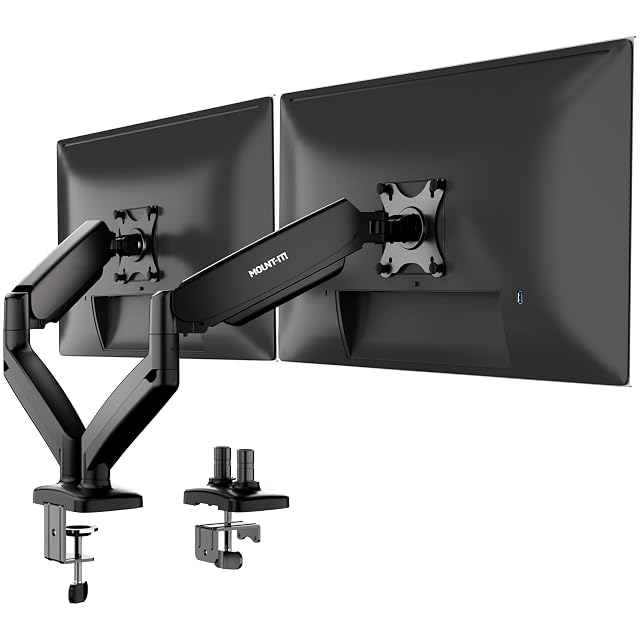
This hub’s opening argument is that independently adjustable arms beat a shared crossbar, because one screen can be angled toward a colleague or a different task without dragging the other with it. This is the only mount on the shelf that takes the argument to its conclusion: there is no shared post at all. Two arms, two separate positions on the desk.
What that buys is layout freedom nothing else here can match. Screens a long way apart, at different heights, around a corner, or with a laptop stand between them — all of which a single-column mount forbids by construction. Each arm is a gas spring with its own hex tension adjustment, so the resistance is set to the weight of the screen on that side, and each has the full range: tilt plus 90 to minus 45, swivel ±90, rotate 360, for 13 to 32 in screens on VESA 75 or 100.
The costs are honest ones. Each arm takes up to 17.6 lb, the lowest per-arm figure here. Two arms need two clear stretches of desk, which a desk with a drawer pedestal or a crossbeam may not have — and the listing does not describe the fixing at all, so neither the clamp range nor a grommet option can be checked. A stacked vertical pair, one screen above the other, is the one layout a shared post does better. At about $58 it sits between the $40 Amazon Basics and the $70 Acer and HUANUO arms.
Availability
Read on the day this page was built: $58 at the American Amazon shop.
Read from Keepa on the day this page was last revised; stock and price both move without notice.
What holds up, and what does not
Best for: A desk layout a crossbar cannot serve — two screens far apart, or one screen and a gap.
Strengths
No shared pole: each arm mounts independently, which is this hub's first comparison answered completely
Gas springs on both arms, with hex tension adjustment to set resistance per monitor
Full motion on each arm — tilt +90°/−45°, swivel ±90°, 360° rotation, adjusted separately
Takes screens from 13 to 32 in, flat or curved, on VESA 75 or 100
Cable routing along each arm
Compromises
17.6 lb per arm, the lowest per-arm figure here, shared with the VonHaus and Mount-It!'s own standing converter
Two separate mounting points on the desk have to be free, and the listing does not describe the fixing
No reach, rise or combined total published
A stacked vertical layout is harder without a shared post to stack on
Prices quoted in this text were read on 2026-10-13. The live price is at the top of the page.
What buyers ask us first
What does "no shared pole" change in practice?
Everything this hub opens by discussing. On a crossbar or single-post mount, the two screens hang from the same column, so their spacing and height relationship is fixed by the hardware and moving one disturbs the other. Two independent arms can be fixed a foot apart or three feet apart, at different heights, on a corner desk, or with something between them. Mount-It! puts it plainly: "Two arms, no shared pole — each mounts independently so any desk configuration works."
Is 17.6 lb per arm enough?
For many screens, yes, but it is the lowest per-arm figure here, where most arms state 19.8 lb and the Amazon Basics and Digitus 22 lb, so a heavy 32 in curved screen is the case to check against its own spec sheet. No combined total is published; with two independent mounting points the load is split across the desk rather than concentrated on one.
How does each arm attach to the desk?
The listing does not say — it describes the arms as mounting independently but gives no clamp range, grommet option or desk thickness. Check the product images or ask the seller before buying for a thick, thin or framed desk.
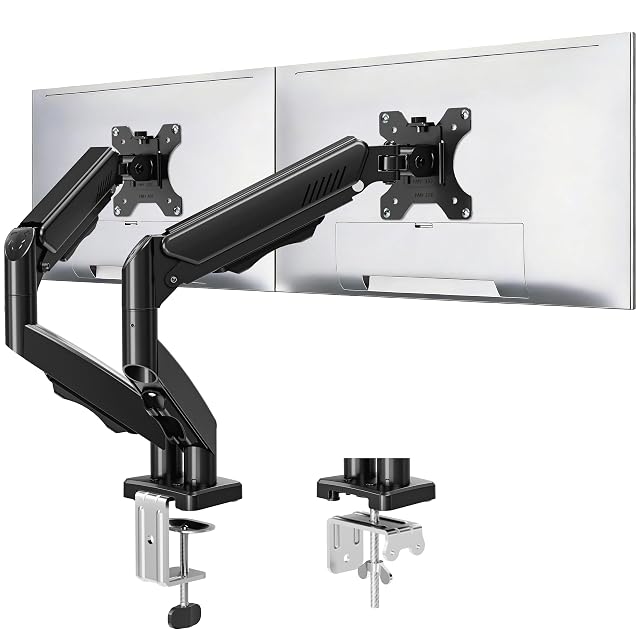
A full-motion dual mount that publishes both its reach and its rise — with the Acer, the only one here that does — tested to 20,000 cycles, at about $50.
Amazon reference
B0DHGGB1DC
EAN
6972668844477
Amazon reference
B0DHGGB1DC
Manufacturer reference
Not published (sold as Freelift)
EAN
6972668844477
Screen size
Up to 32 in, flat or curved (22, 24, 27 and 32 in named)
Load per arm
4.4 to 19.8 lb (2 to 9 kg)
VESA
75 × 75 and 100 × 100 mm
Reach
Up to 19.5 in (49.5 cm)
Height adjustment
Up to 16.9 in (43 cm)
Movement
Tilt +90°/−45°, swivel 180°, rotation 360°
Durability
20,000-cycle test stated
Mounting
C-clamp or grommet, desks 0.39 to 2.76 in; grommet bolt hole 0.39 to 2.36 in
Lift mechanism
Not stated
Cable management
Concealed inside the arms
Publishes both reach, 19.5 in, and rise, 16.9 in — only the Acer does the same on this shelf
Tilt up 90° and down 45°, swivel 180°, rotate 360°, with every joint adjustable
No combined total published, only 4.4 to 19.8 lb per screen
Best for: Two screens up to 32 in on a deep desk, where published reach and rise matter more than a thick-desk clamp.
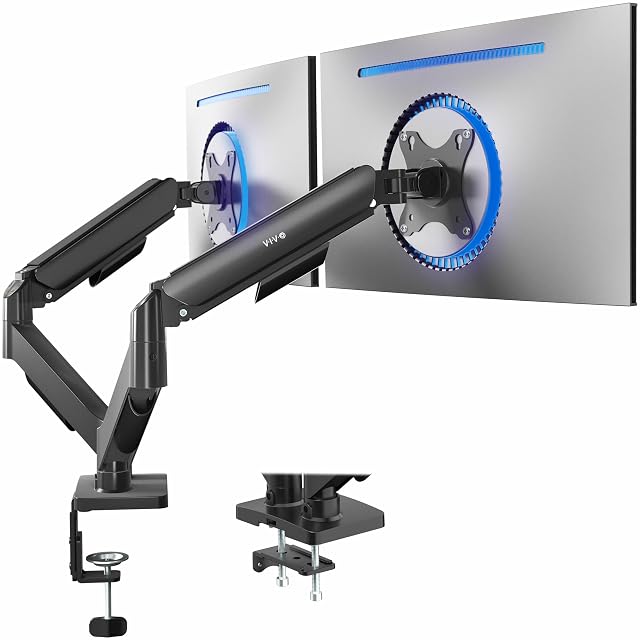
A mechanical-spring articulating mount with open-top VESA plates for slide-on fitting — and the only listing on this shelf to warn that the arms project beyond the back of the desk.
Amazon reference
B01N2YFO5Z
EAN
0818538020151
Amazon reference
B01N2YFO5Z
Manufacturer reference
STAND-V002O
EAN
0818538020151
Screen size
17 to 32 in, flat or curved
Load per arm
4.4 to 19.8 lb (2 to 9 kg)
VESA
75 × 75 and 100 × 100 mm, open-top slide-on plates
Lift
Mechanical spring, tool-free
Movement
Tilt +90° to −90°, swivel 180°, rotation 360°
Reach and height
Not published
Mounting
C-clamp for tops up to 3.1 in (79 mm); bolt-through grommet up to 1.9 in (48 mm)
Note
The back of the arms extends past the edge of the desk
Warns in its own specification that "the back of the arms will extend past the edge of your desk"
Open-top VESA plates, so the monitor is screwed to the plate first and then slid onto the arm
No reach or rise figure published, on a mount sold on its articulation
Best for: A desk standing clear of the wall, where a mechanical spring is preferred to a gas cylinder.
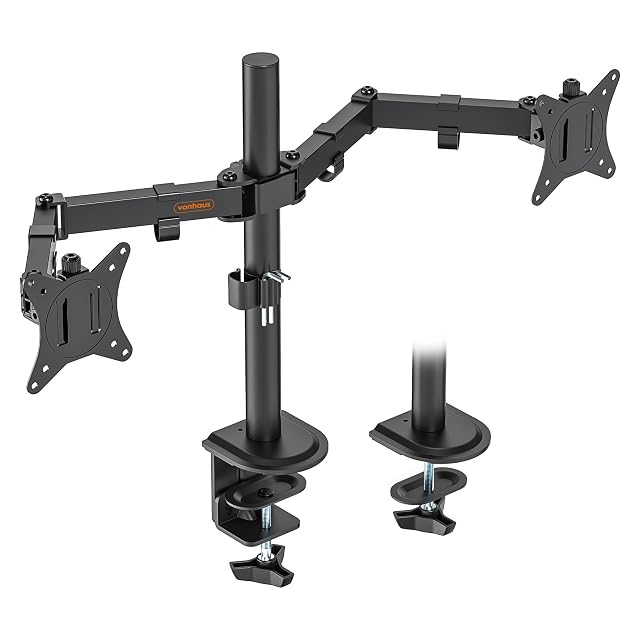
A steel desk-clamp mount for two 13 to 32 in screens at up to 8 kg (17.6 lb) each, with a 5-year guarantee — about €21 in Germany but about $58 on Amazon.com.
Amazon reference
B076QGMJBY (identical on 6 markets)
EAN
5056115705144
Amazon reference
B076QGMJBY (identical on 6 markets)
Manufacturer reference
05/116
EAN
5056115705144
Screen size
13 to 32 in
Load per arm
Up to 8 kg (17.6 lb)
VESA
75 × 75 and 100 × 100 mm
Movement
Height-adjustable, tilt up to 90°, swivel, rotation 360°
Material
Steel
Mounting
Desk clamp; clamp range not published
Reach and height range
Not published
Guarantee
5-year manufacturer promise
Price check
About $58 on Amazon.com against about €21 on amazon.de
Steel construction, rated at 8 kg (17.6 lb) per arm
Height-adjustable, tilting up to 90° and swiveling
About $58 on Amazon.com against about €21 on amazon.de for the same reference — a gap that usually means a third-party seller; check who sells it
Best for: Two light-to-medium screens on a standard desk, for a buyer who values a long guarantee — ideally bought at the European price.
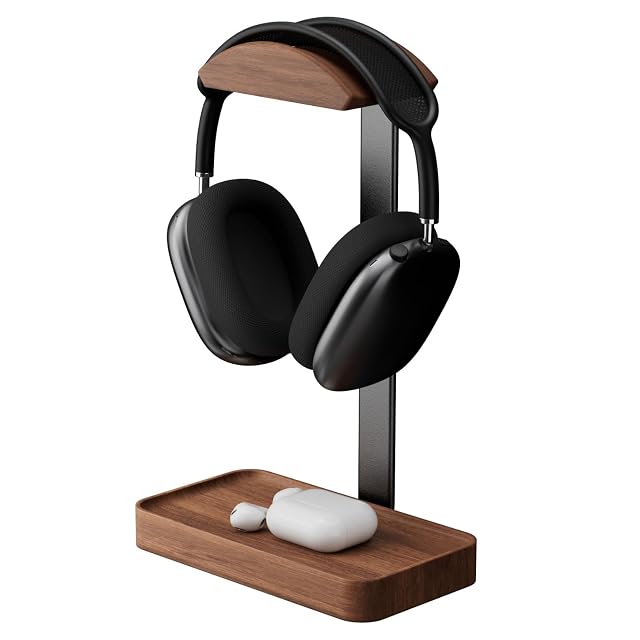
A solid North American walnut base and cradle on aluminum alloy support rods, hand-polished and wood-wax finished, arriving fully assembled — the most expensive stand in this hub.
Amazon reference
B0G4CX4X8G (identical on 6 markets)
EAN
0665386359113
Manufacturer reference
sn170
Type
Freestanding desktop headset stand
Material
Solid North American walnut base and cradle; aluminum alloy support rods
Finish
Hand-polished, wood wax oil
Assembly
Arrives fully assembled
Base
Doubles as a place for the cable or small items
Dimensions and weight
Not published
Solid North American walnut for the base and cradle, hand-polished and wood-wax finished
Aluminum alloy support rods, stated for stability and durability
About $30, the highest price in this hub — roughly twice the Lamicall and three times the New Bee
Best for: A desk where materials and finish matter as much as function, and paying more for walnut is the point.
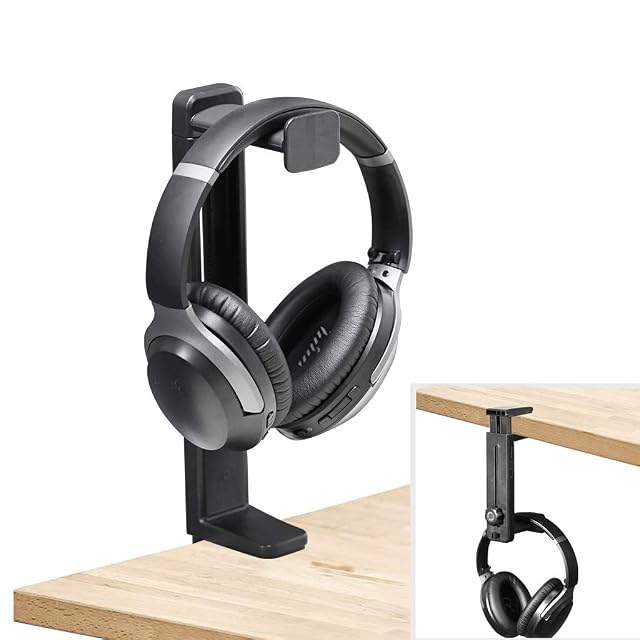
A clamp-on holder that flips over to work either as an under-desk hanger or an above-desk stand, adjustable between 6.5 and 10.2 in, taking desks up to 1.97 in — and the one listing in this hub that publishes a weight limit.
Amazon reference
B08FQPT29Q
EAN
6945624924605
Manufacturer reference
HDLP-HS906-BLK
Type
Clamp-on holder, flips between under-desk hanger and above-desk stand
Height
Adjustable, 6.5 to 10.2 in (16.5 to 26 cm)
Rotation
360° rotating mount
Desk thickness
Up to 1.97 in (50 mm); minimum unpublished
Load
Items within 5 kg (11 lb), per NEETTO
Padding
Soft silicone pads on the clamp; raised ledge around the mount
Installation
Tool-free
The only listing in this hub that publishes a load figure — stated to hold items within 5 kg
Flips between under-desk hanger and above-desk stand rather than committing to one
No minimum thickness published, only a maximum — the thin end of the range is left open
Best for: Anyone who does not yet know whether they want the headset above the desk or under it.
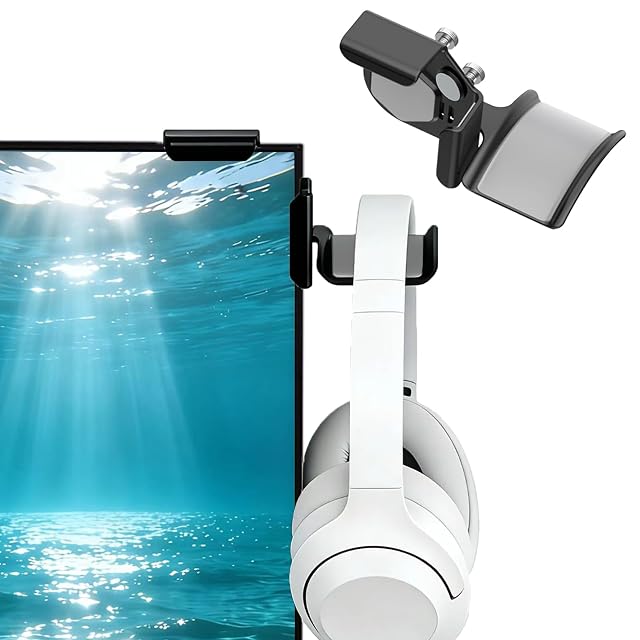
The one holder in this hub that clamps to the side of a monitor instead of a desk, with a silicone-coated cradle and a stated panel range of 0.2 to 0.7 in.
Amazon reference
B0FMJWT8G9
EAN
0768924499644
Manufacturer reference
SIRO003
Type
Monitor-side clamp hanger
Panel thickness
0.2 to 0.7 in (5 to 18 mm)
Cradle
Soft silicone coating, curved, with an end hook
Clamp
Silicone-padded, no adhesive or tools; stated to leave no residue or marks
Dimensions and weight
Not published
Load limit
Not published
Takes no desk space at all — the mounting surface is the monitor panel
Publishes its clamp range, 0.2 to 0.7 in, for the panel edge rather than a desktop
0.2 to 0.7 in (5 to 18 mm) is the narrowest published range in this hub, and a thick-bezelled or curved panel can fall outside it
Best for: A desk with no spare edge and no spare surface, where the monitor is the only thing left to hang from.