Skip to content

Perixx wired split ergonomic keyboard vs Logitech wireless curved split keyboard with negative tilt

Do you want to try a split layout, or invest in a design independently certified for posture?

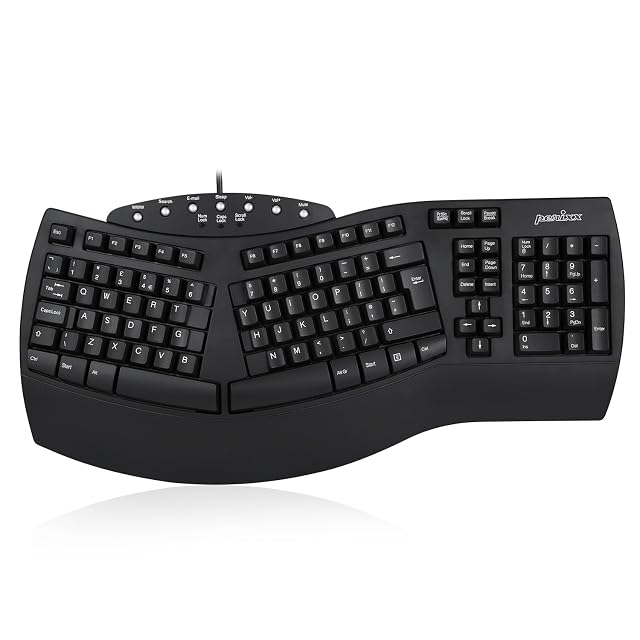
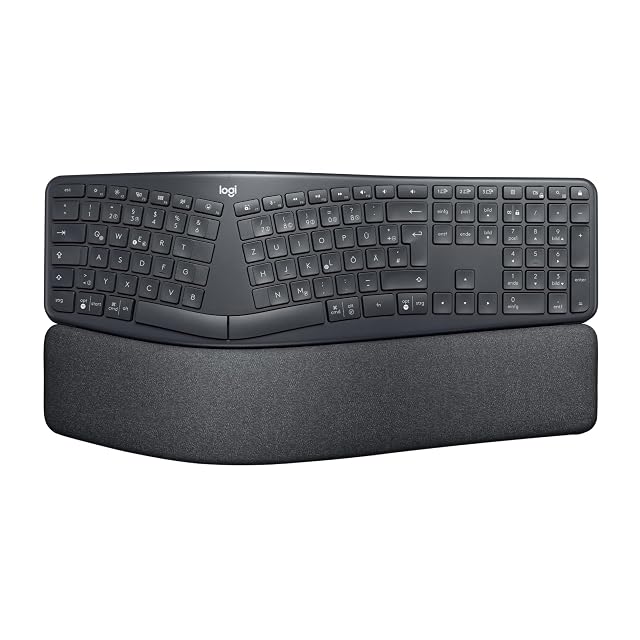
Both keyboards use a split layout to change hand and wrist position, but only one carries independent ergonomics certification and adjustable tilt — the other keeps things simple and wired.

Perixx PERIBOARD-512 wired split ergonomic keyboard

Perixx wired split ergonomic keyboard

7.2/10

Wins 1 of 7

Check price

Logitech ERGO K860 wireless split ergonomic keyboard

Logitech wireless curved split keyboard with negative tilt

8.6/10

Wins 4 of 7

Search Amazon

Point against point

Compared on wired split ergonomic keyboard wireless curved split keyboard with negative tilt
Split design Fixed 3D shape Curved, with adjustable negative tilt (0°, -4°, -7°)
Independent certification Not published Certified by United States Ergonomics
Connectivity Wired, 1.8 m (5.9 ft) USB cable USB receiver or Bluetooth
Wrist rest Integrated, fixed Padded, curved
Recycled materials Not published 71% recycled plastic (graphite)
Layout (as listed) British QWERTY Not stated
Published size 485 × 236 × 44 mm (19.1 × 9.3 × 1.7 in) Not published
Listed on amazon.com Yes No

A tick marks the better answer on that line only. Counting ticks does not decide the page — the two verdicts below do, because these products answer different questions.

Which of the two, for which desk

Buy the wired split ergonomic keyboard

Take the Perixx to try a split layout for the first time, wired and fixed — after checking the layout on the US page.

wireless curved split keyboard with negative tilt

No amazon.com listing was found for this one. We hold references for other markets but none for the United States, so it may not be buyable here — which is the first thing to weigh against anything below.

Take the Logitech for adjustable tilt, wireless flexibility, and independent ergonomics certification behind the design.

What buyers ask us first

Will either keyboard slow me down at first?

Expect to, with either: moving to a split layout usually means a period of slower, less accurate typing while your hands adapt. Trying a split keyboard for the first time covers the first weeks.

Do they work with a Mac?

Both type on a Mac, but neither listing we read states a Mac layout: the Perixx is British QWERTY and the Logitech states no layout. Do ergonomic keyboards work with a Mac? explains the modifier keys and regional layouts.

Each one, in full

Prices quoted in these summaries are dated readings. The live price is shown next to each product.