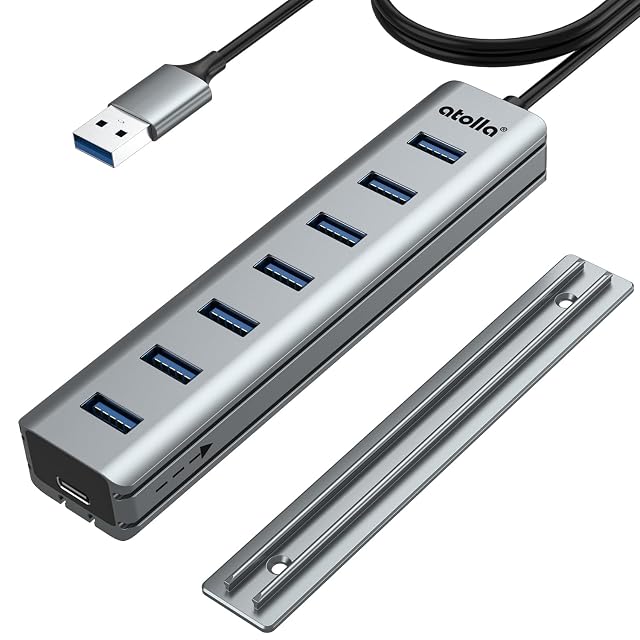
atolla 7-port USB 3.0 hub on removable under-desk rails
A seven-port USB 3.0 hub that mounts under the desk on removable sliding rails, with a 5V/3A USB-C power input for external drives — the most ports of any hub on this shelf.
Seven ports is the most of any hub on this shelf, and the atolla puts them where they will not be seen: under the desk, on removable sliding rails screwed to the underside of the top, a monitor stand or a wall. The hub slides off the rails without tools, and the mounting hardware is in the box.
All seven are USB 3.0 at 5 Gbps. The hub runs unpowered for a mouse, a keyboard or a flash drive; for external drives it takes power through a 5V/3A USB-C input, and the listing says three times that the adapter is not included. Over-voltage and over-current protection are stated.
It is the opposite choice to the ORICO clamp hub. One puts four ports at the front edge for things you plug and unplug; the other hides seven under the desk for things that stay plugged in.
Availability
Read on the day this page was built: $14 at the American Amazon shop.
Read from Keepa on the day this page was last revised; stock and price both move without notice.
What holds up, and what does not
Best for: A desk where several peripherals plug in permanently and the hub should stay out of sight.
Strengths
Seven USB 3.0 ports, the most of any hub on this shelf
Removable sliding rails for under a desk, a monitor stand or a wall, with mounting hardware included
A 5V/3A USB-C power input for external drives
Over-voltage and over-current protection, stated
Works unpowered for mice, keyboards and flash drives
Compromises
The power adapter is not included
All seven ports are USB-A
Under the desk the ports are out of reach for a flash drive you plug in daily
Prices quoted in this text were read on November 9, 2026. The live price is at the top of the page.
What buyers ask us first
Does it need its own power?
Not for low-power devices: the listing says it works without an adapter for mice, keyboards and flash drives. For external hard drives it should be powered through its 5V/3A USB-C input — and that adapter is not in the box.
How does it attach under a desk?
With removable sliding rails, screwed to the underside of the desk, a monitor stand or a wall. The hub slides onto them and can be taken off and repositioned without tools, per the listing. Mounting hardware is included.
Today’s price and availability, for USB hubs & docking
Details checked on November 9, 2026.
This one and its buyer, among USB hubs & docking
A desk where several peripherals plug in permanently and the hub should stay out of sight.
Sources
Specifications: the manufacturer sheet for USB hubs & docking and the matching Amazon product page. Prices and availability: Keepa. Every figure on this page names its source.
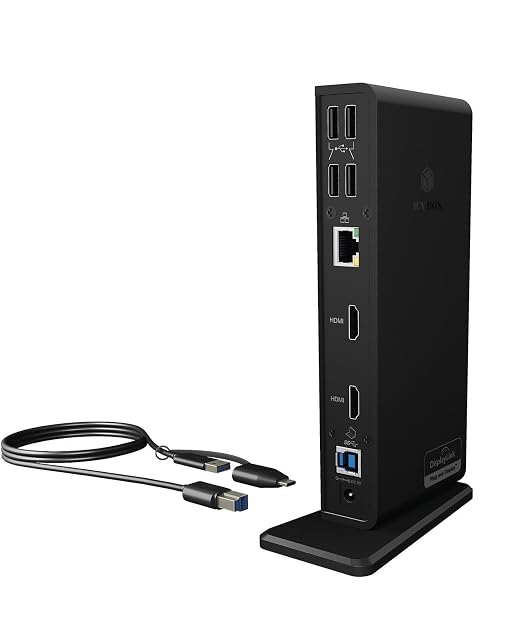
An 11-in-1 DisplayLink dock with two 2K 60 Hz HDMI outputs, six USB 3.0 ports, Gigabit Ethernet and audio, on one USB-C/USB-A cable — with no laptop charging mentioned.
Amazon reference
B08B1M79ZV (identical on 6 markets)
EAN
4250078169765
Manufacturer reference
IB-DK2251AC
Type
DisplayLink docking station, 11-in-1
Video outputs
2 × HDMI, 2K at 60 Hz each, via DisplayLink
USB ports
6 × USB 3.0
Network
Gigabit Ethernet
Audio
Yes (per the listing title)
Fits grommet hole
None — stands on the desk, vertical or horizontal
Host connection
USB-C / USB-A combo cable
Laptop charging
Not published
Systems
Windows and macOS; M1/M2 MacBook Air and Pro named in the title
Driver
DisplayLink driver required before first use
Dual HDMI outputs at 2K@60Hz — enough to drive two additional external monitors from one dock
Combined USB Type-C/Type-A cable works with either connector type on a laptop
Requires installing the DisplayLink driver before use — not a plug-and-play device out of the box
Best for: Driving two additional external monitors from a laptop that doesn't natively support that many displays.
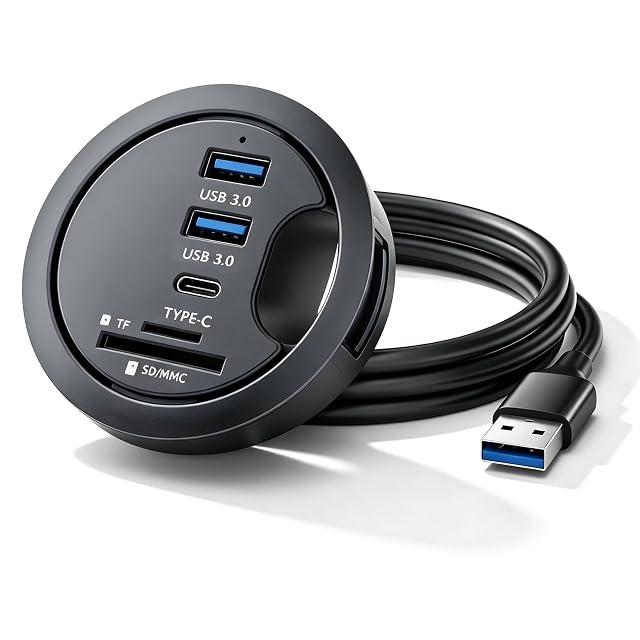
A USB hub that mounts directly into a standard 60mm (2.36 in) desk grommet hole, providing 2 USB 3.0 ports, a USB-C port, and SD/TF card readers flush with the desktop.
Amazon reference
B0GZP29X5S (identical on 6 markets)
EAN
0725380519378
Type
In-desk USB hub, 5-in-1
Video outputs
None
USB ports
2 × USB 3.0, 1 × USB-C
Card readers
SD and TF
Fits grommet hole
60 mm (2.36 in)
Host connection
Cable to the computer; type not published
Laptop charging
Not published
Installation
Into an existing 60 mm hole, no tools; stated to fit 90% of desks with a standard hole
Systems
macOS, Windows, Linux
Mounts flush into the desk's existing 60mm (2.36 in) grommet hole rather than sitting on top of the desk
2 USB 3.0 ports, 1 USB-C port, plus SD and TF card readers in one unit
Requires an existing grommet hole of the right size — not usable on a desk without one
Best for: A desk that already has a standard 60mm (2.36 in) cable grommet hole and no permanent hub installed in it.
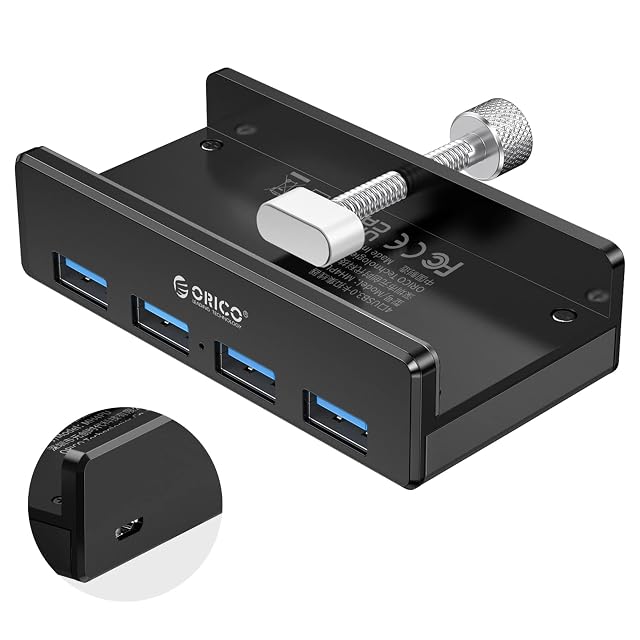
A four-port USB 3.0 hub in aluminium that screws onto a desk or monitor edge from 10 to 32 mm thick, with an extra power input for hungry devices — adapter sold separately.
Amazon reference
B09289CSMN
Clamps to a desk or monitor edge from 10 to 32 mm (0.39 to 1.26 in), with a rubber-covered screw
Four USB 3.0 ports at 5 Gbps
The power adapter for that extra input is not included
Best for: A desk without a grommet hole, where the ports should sit at the front edge.
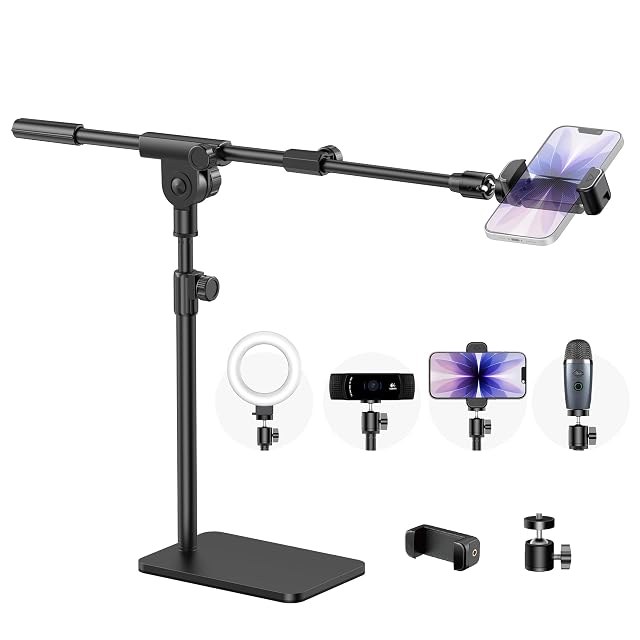
An overhead boom on a 3.62 lb metal base — the only stand in this category to publish its own mass, which is the figure its whole stability argument rests on.
Amazon reference
B0GQ9Z7CH2
EAN
0810015624258
Type
Overhead boom stand
Manufacturer reference
PMS75
Base
Metal, 3.62 lb (1.64 kg); 5.07 lb (2.3 kg) in total
Reach or height
Not published
Max load
Not published
Thread
1/4 in
Head
Ball head, 180° rotation; phone clamp 2.5–5.5 in
Publishes its own weight — 3.62 lb for the base, 5.07 lb complete — which nothing else in this category does
Explains the figure rather than asserting stability: a heavy base lowers the center of gravity against an off-balance arm
The highest price among the US listings in this category
Best for: Overhead filming of hands, a keyboard or a work surface, where the base has to outweigh the arm.
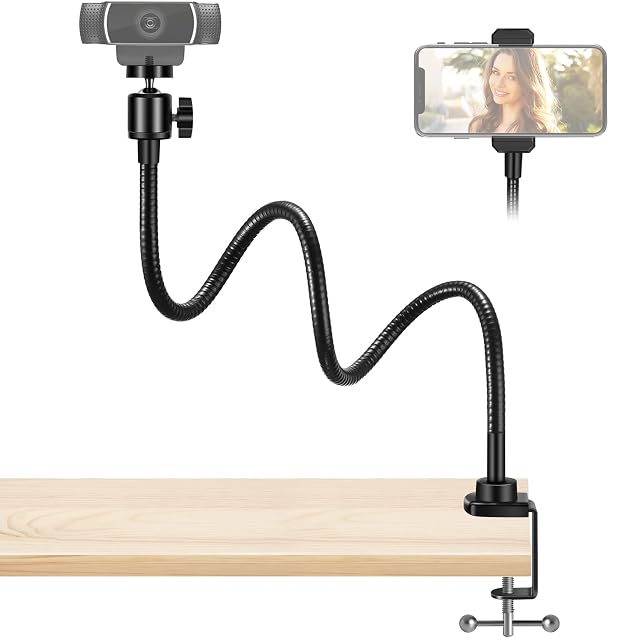
A 25 in gooseneck with a published 1.0 lb limit and a compatibility list that names its exclusions — the Logitech C270 and C310, which have no tripod thread.
Amazon reference
B08M5ZGL9R
EAN
0810015622049
Type
Clamp-on gooseneck arm
Manufacturer reference
WS089
Base
Clamp, opens to 1.8 in (4.6 cm)
Reach or height
25 in (63 cm) including the ball head
Max load
1.0 lb (0.45 kg)
Thread
1/4 in
Head
360° ball head; phone holder to 4 in wide
Publishes a maximum load, 1.0 lb, and the gooseneck length including the ball head, 25 in
Names the webcams it will not fit — the Logitech C270 and C310 — rather than claiming universal fit
The clamp opens to only 1.8 in, the narrowest in this category, which rules out a thick desktop
Best for: A webcam on a thin desktop, where the arm has to be short enough to stay still.